

Better safe than sorry
Credit cards are certainly a very popular payment choice, with an average of 2 credit cards held per person. But it's something that fraudsters could take advantage of.
Credit card fraud can happen in a number of ways, such as unauthorised use in which fraudsters try to purchase goods or steal money using your credit. It could also involve lost and stolen credit cards, making fraudulent applications or transactions like online payments and mail orders.
Here are some tips to help you protect yourself from falling victim to credit card fraud.
Take me straight to
Authenticating online transactions with HSBC HK App
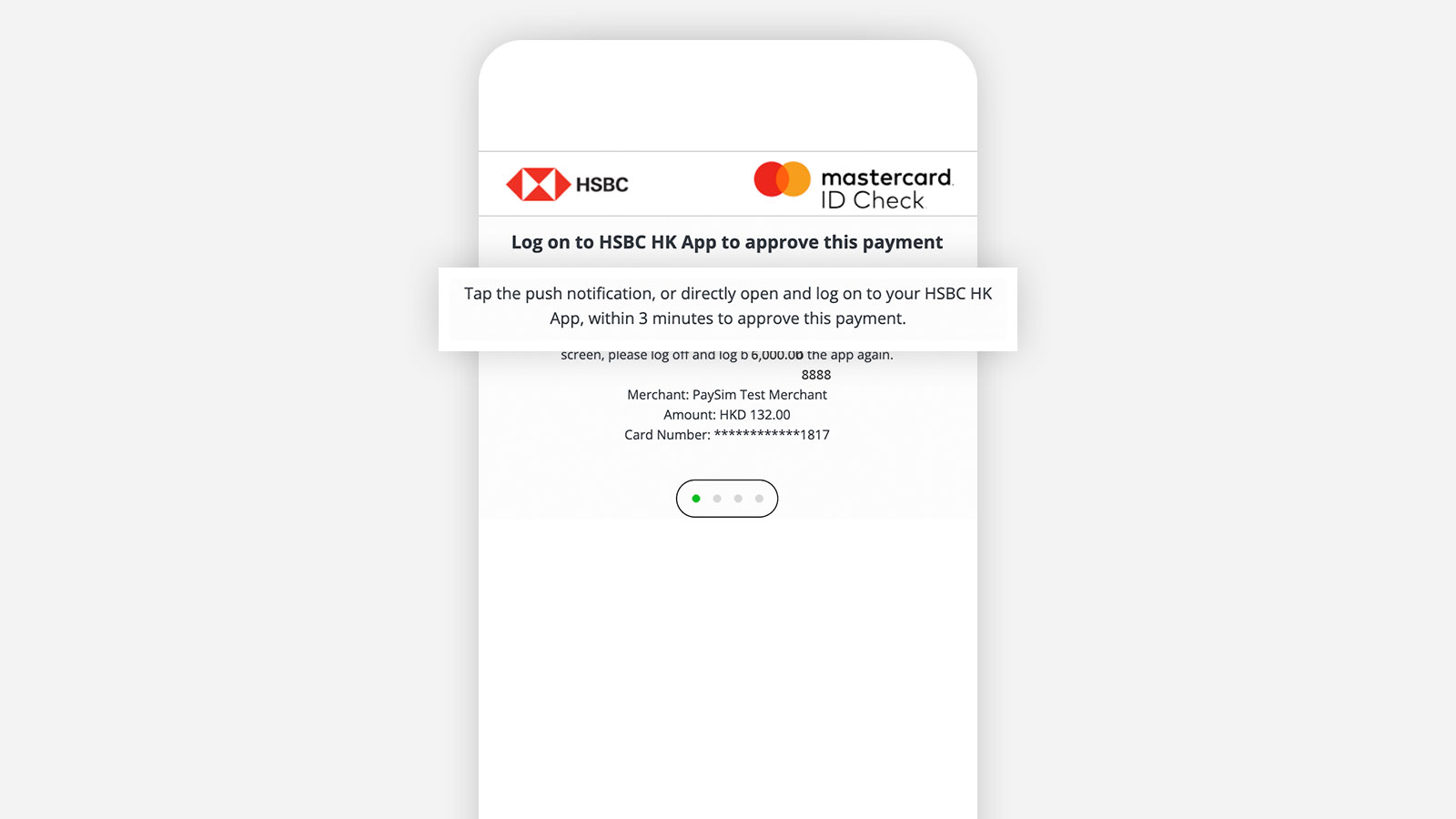
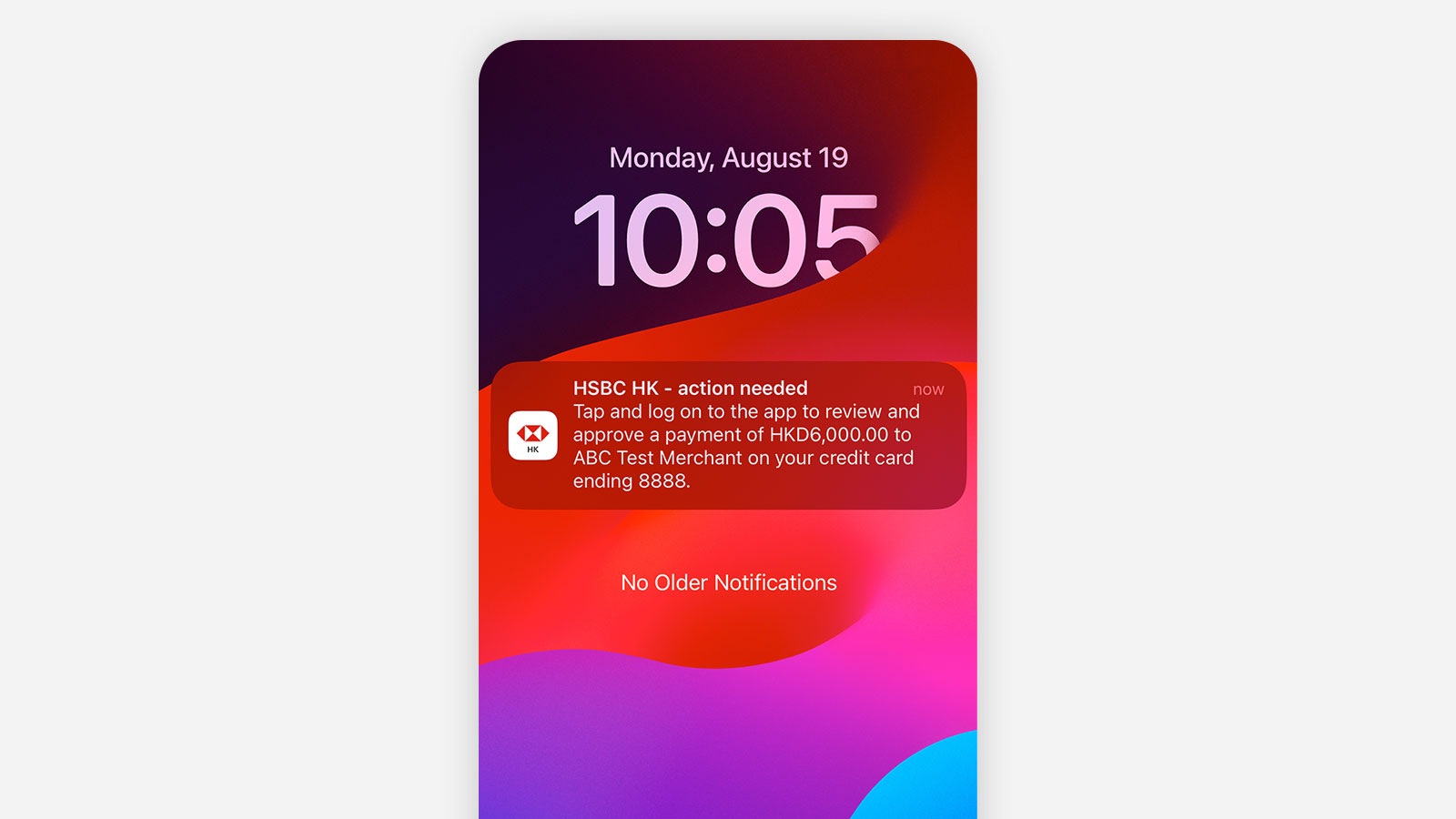
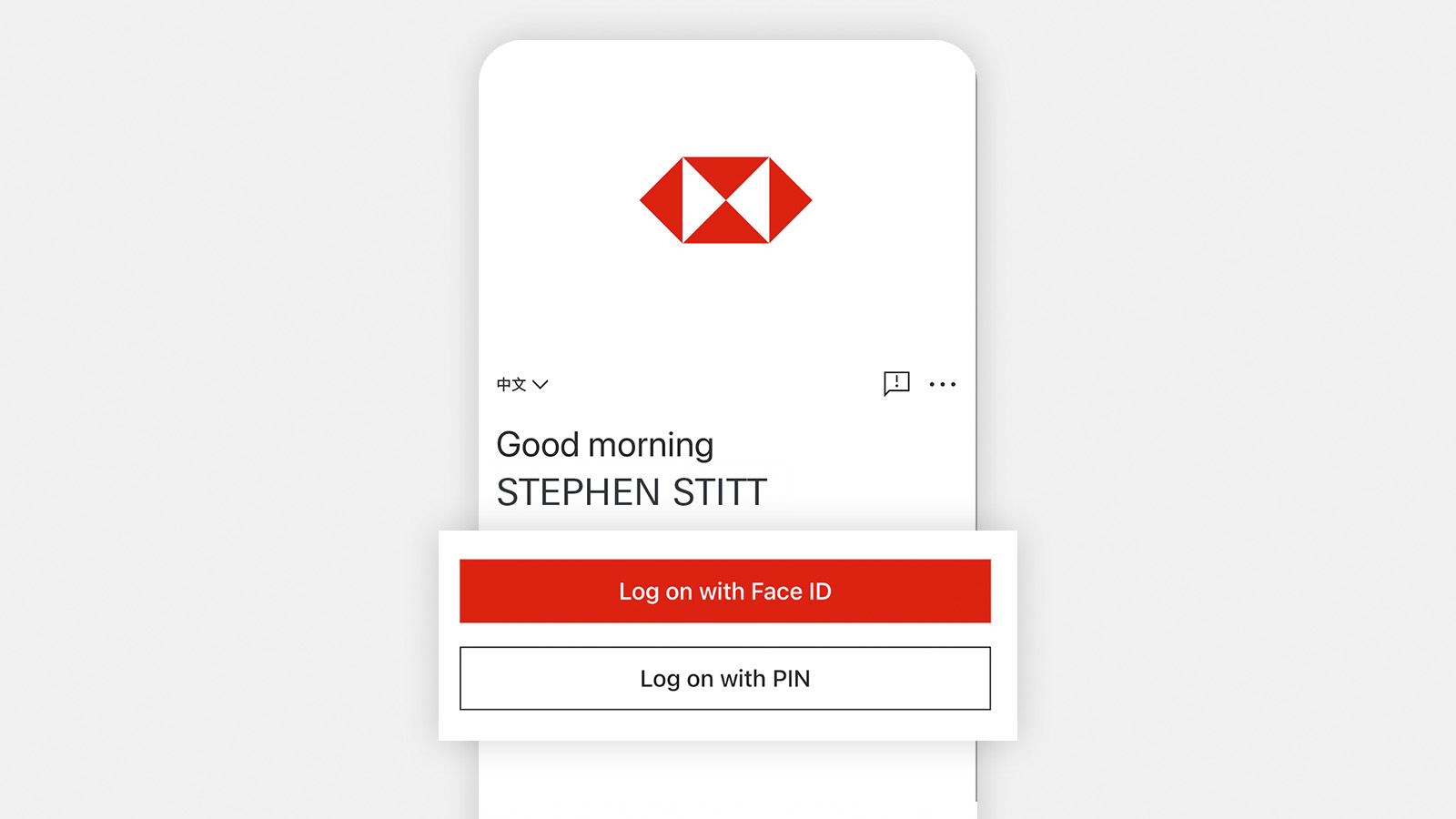
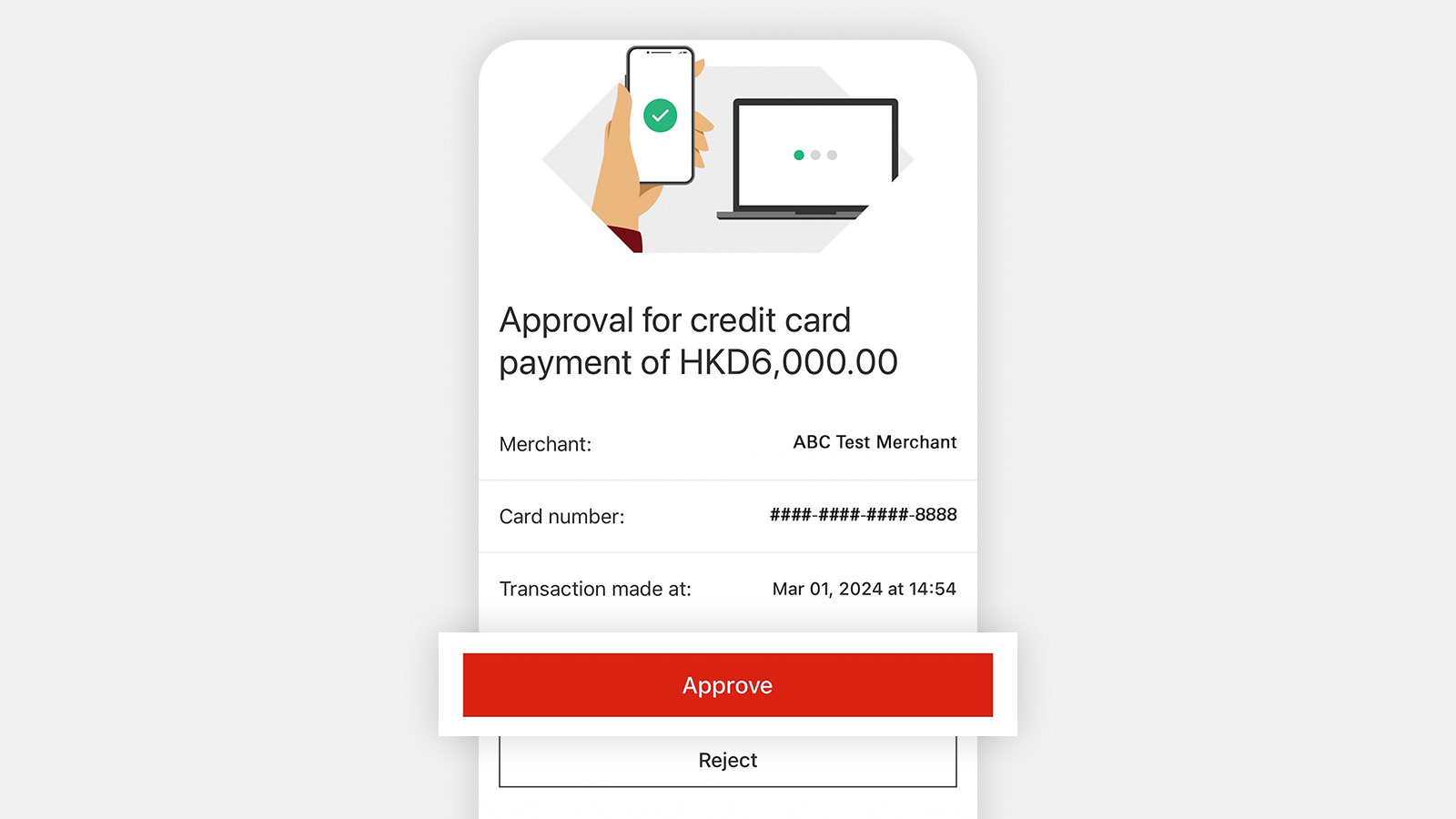
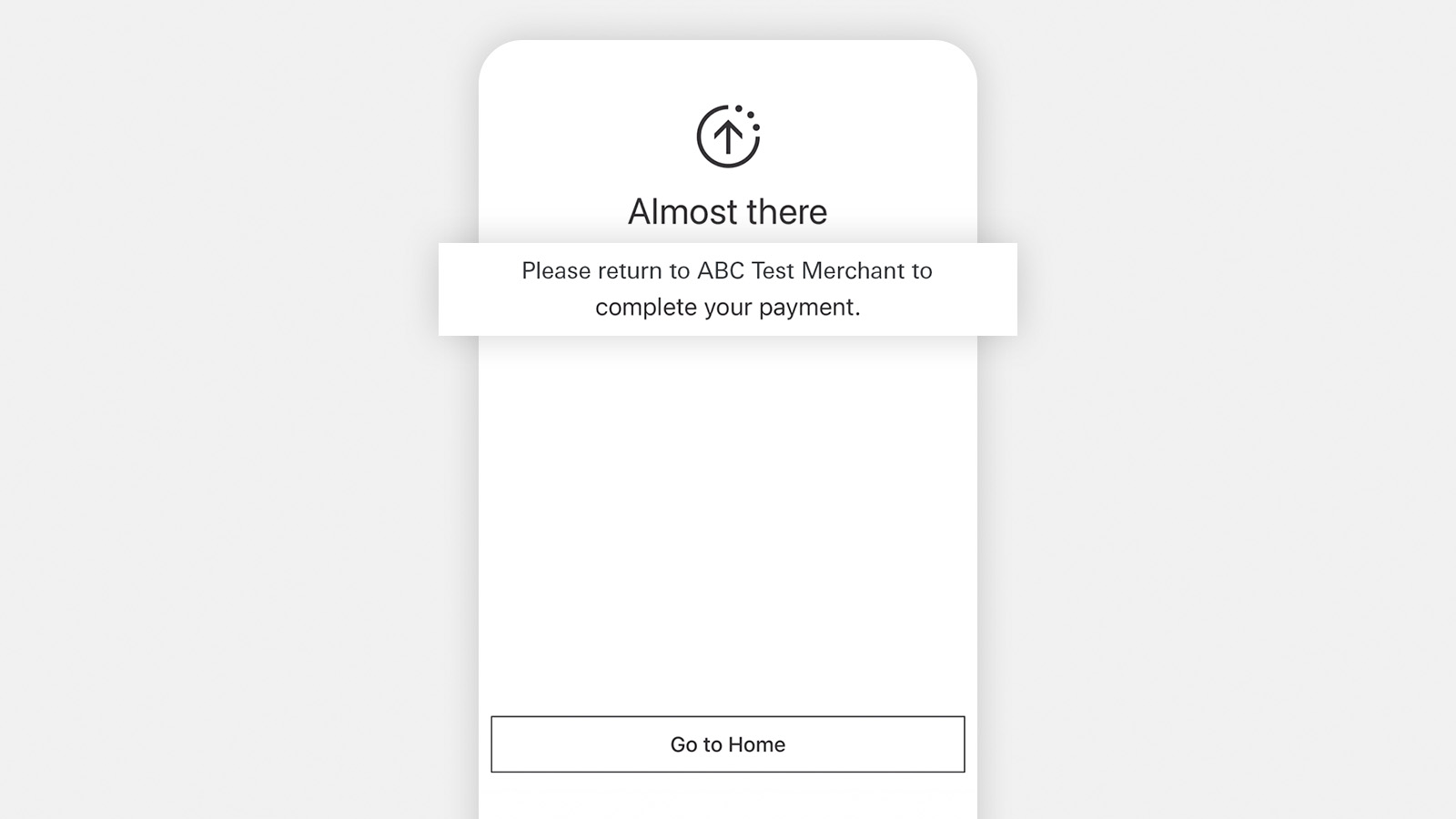
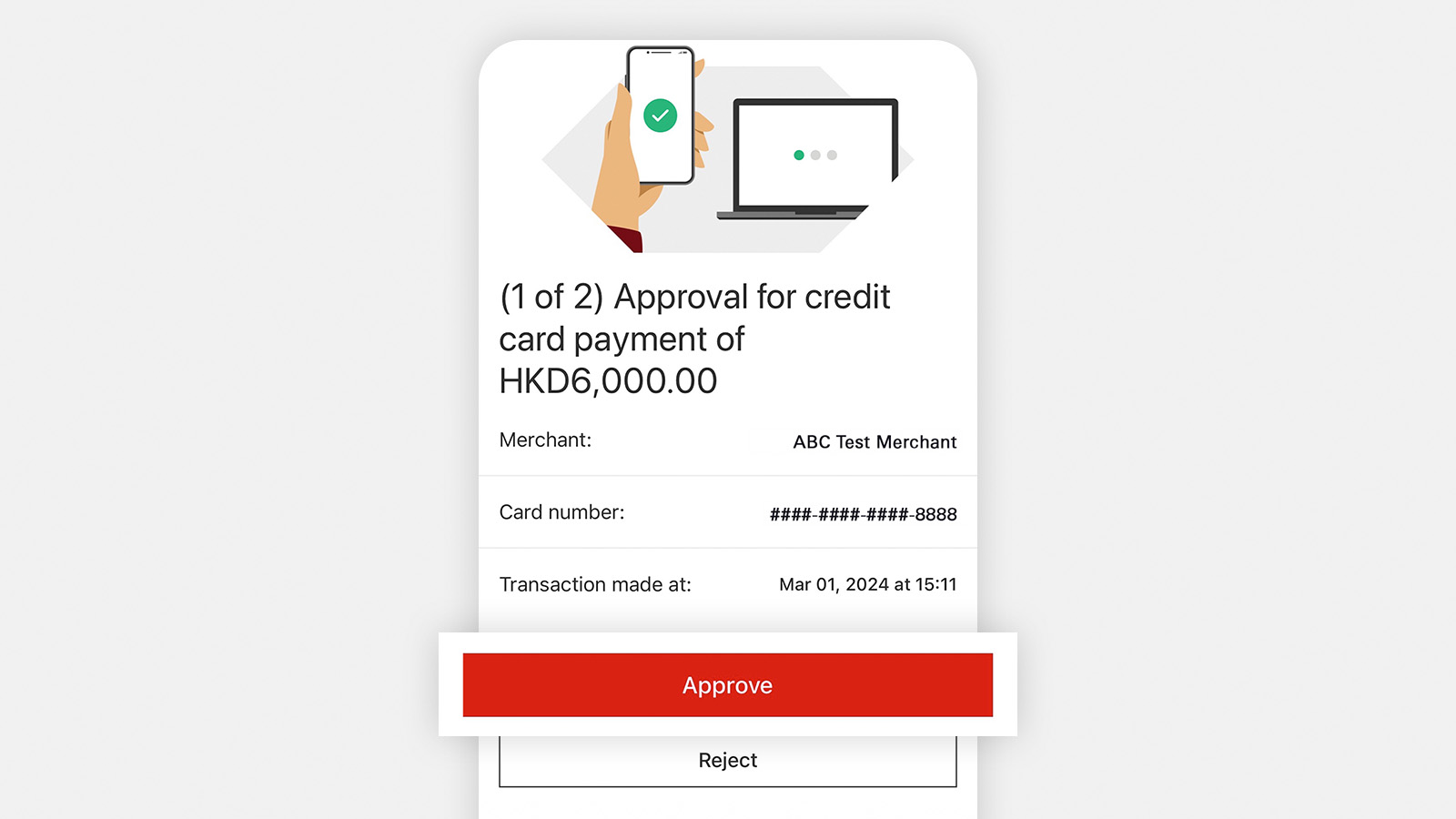
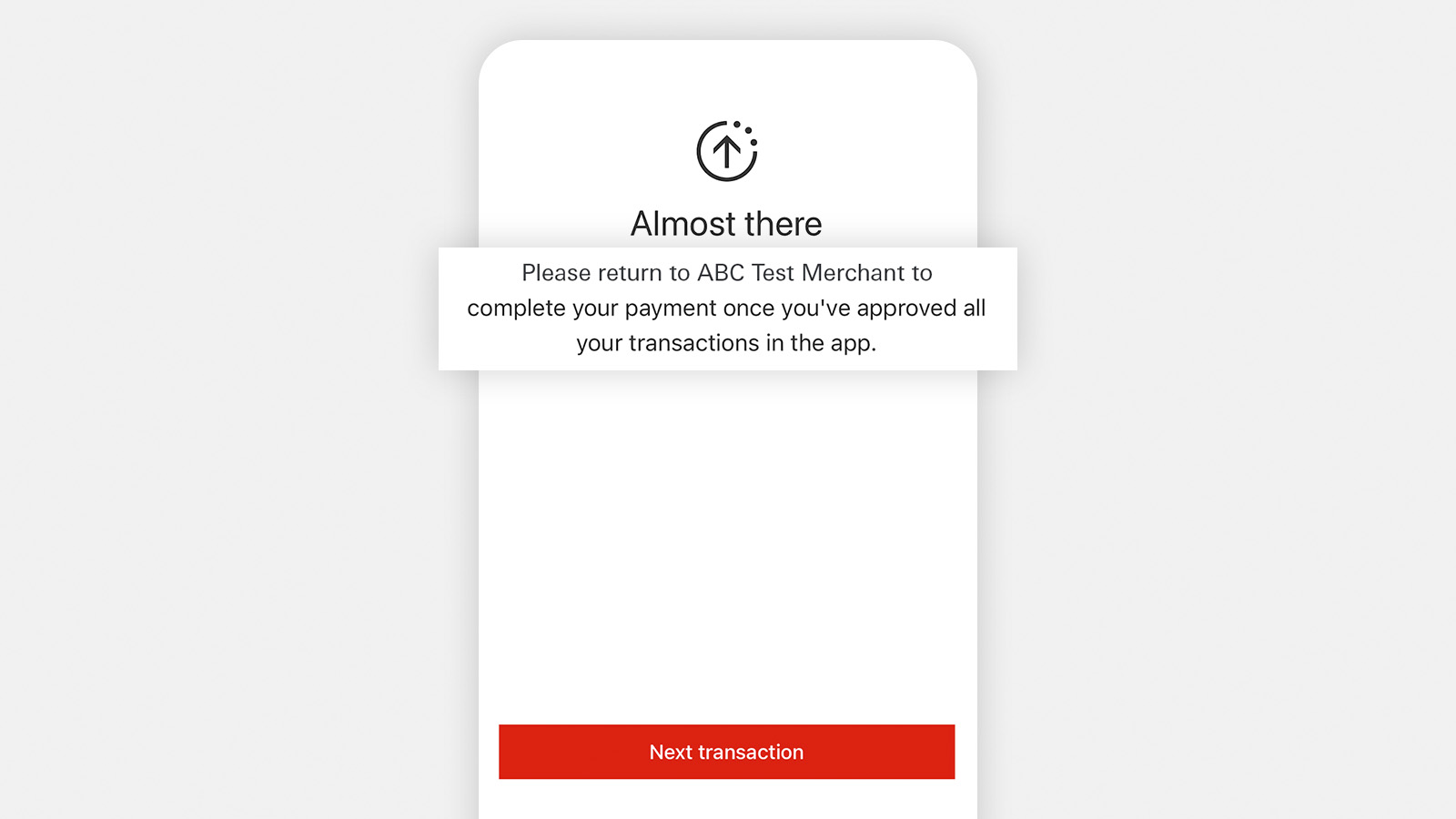
Starting from March 2024, you can authenticate your online transactions in a more secure way by using the HSBC HK App Online Transaction Authentication Service. If you've installed the HSBC HK App and registered for mobile banking service, you'll be asked to authenticate online transactions via HSBC HK App instead of a One Time Password (OTP) sent via SMS, which is safer and more convenient.
To use HSBC HK App Online Transaction Authentication Service, make sure you’ve:
- updated your HSBC HK App to the latest version
- activated and verified your Mobile Security Key
Frequently asked questions
Protecting yourself before using your card
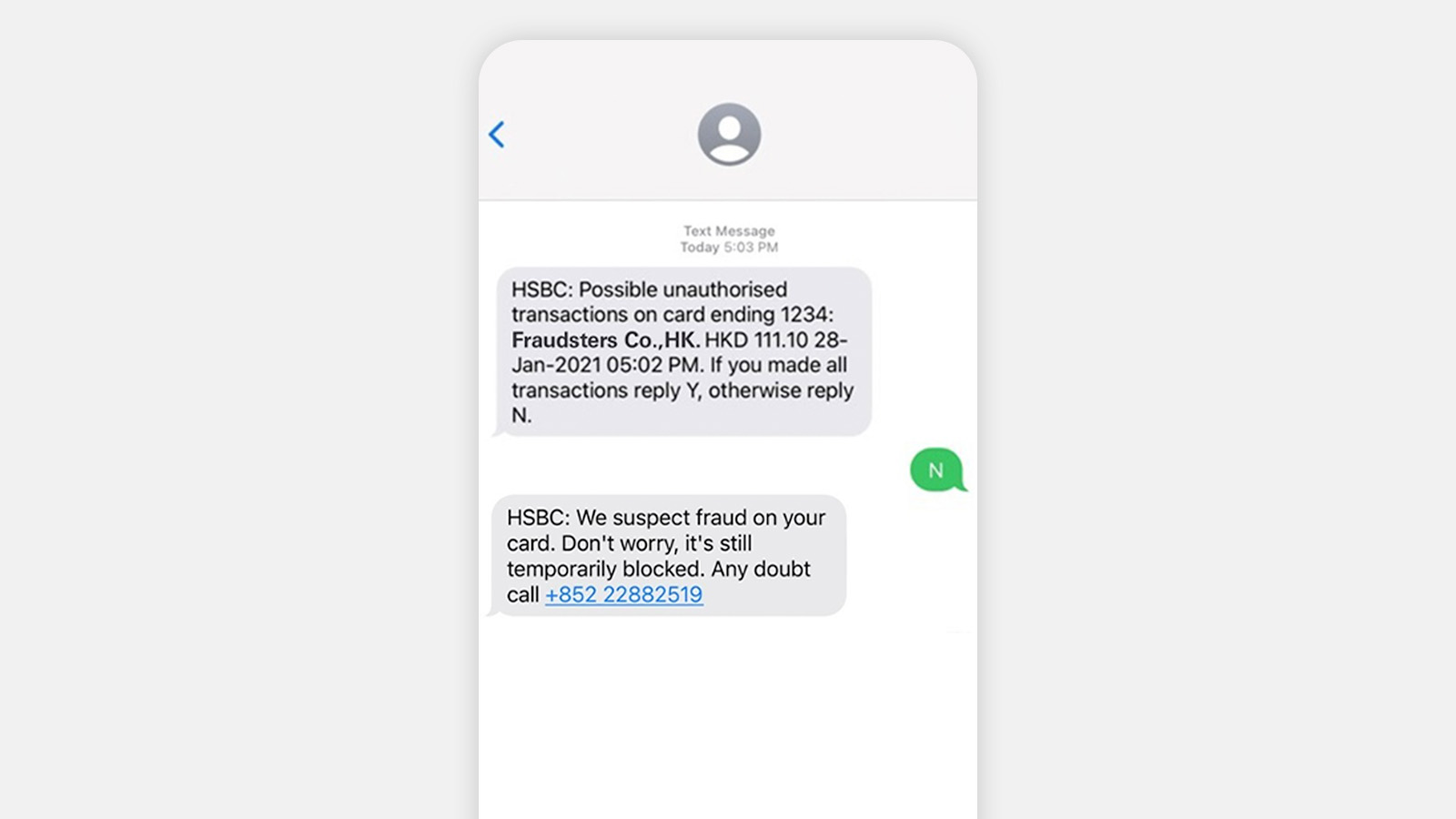
Card Fraud Alert is our way of verifying with customers whenever we detect a suspicious transaction on HSBC cards.
Once you receive a notification via the HSBC HK App or SMS, start by carefully verifying all the merchant details, payment amount, currency, as well as the date and time of the transaction. Then simply let us know if you're the one who made the transaction.
How does Card Fraud Alert work?
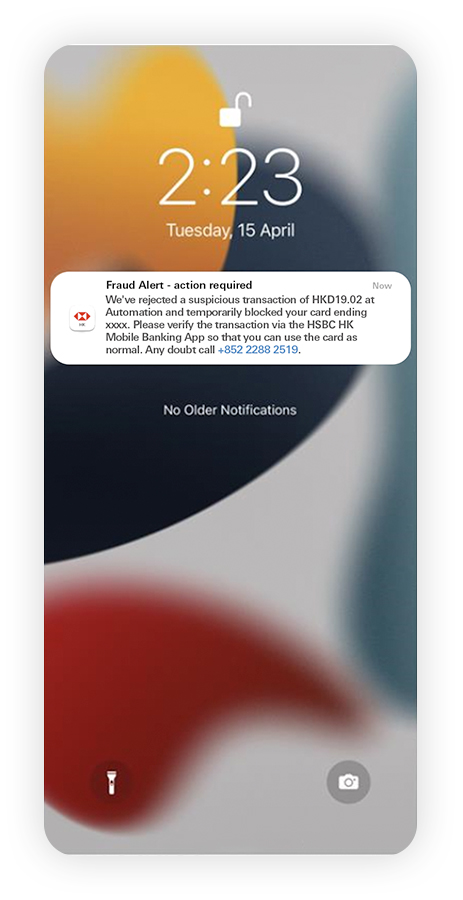
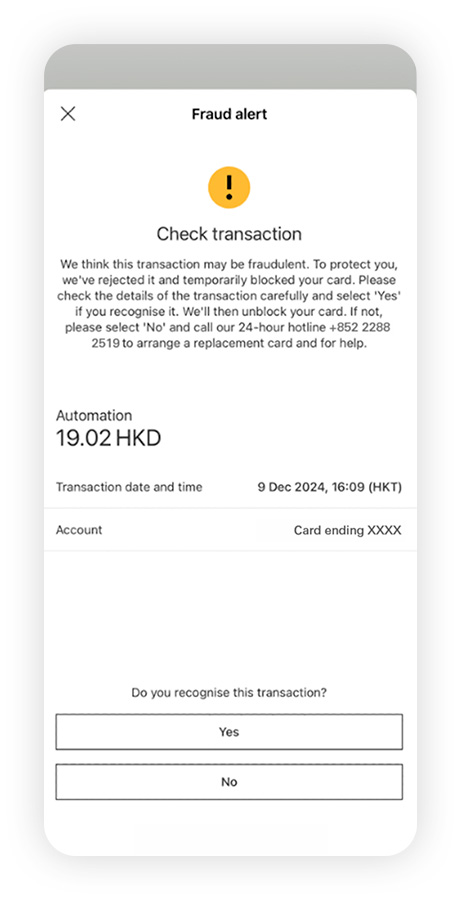
With your push notifications turned on , we'll be able to send you pop-up notifications if we detect a suspicious transaction. If your push notifications are off, you may receive in-app messages after you log on to HSBC HK App.
Once you tap on it, you'll be directed to the HSBC HK App where you'll see transaction details after logging on. Before confirming if the transaction is genuine, please check and verify the merchant details, payment amount and currency, as well as the date and time of the transaction.
We may also notify you via a message on the HSBC HK App homepage after you log on. Similar to the pop-up notifications, tap on the message and let us know or call us as required on the screen.
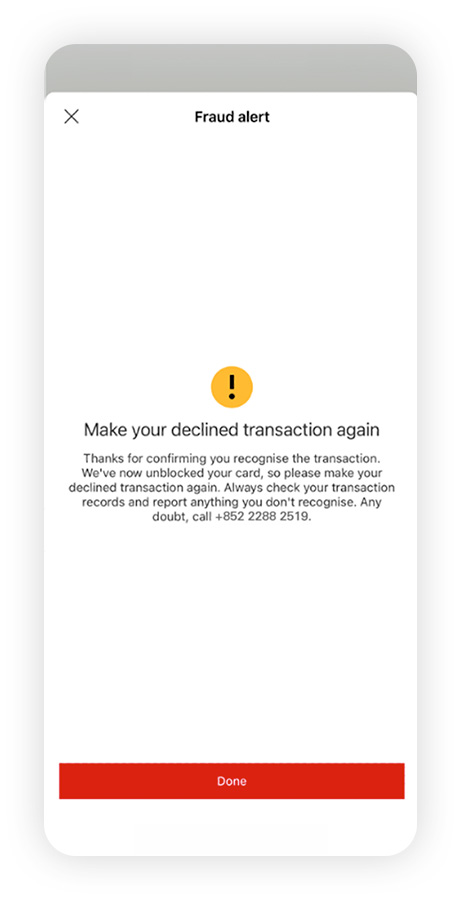
Select 'Yes' if you recognise the transaction
Then check whether the transaction is successful. On some occasions, payment may be declined due to security reasons. If that happens, you'll need to make the transaction again.
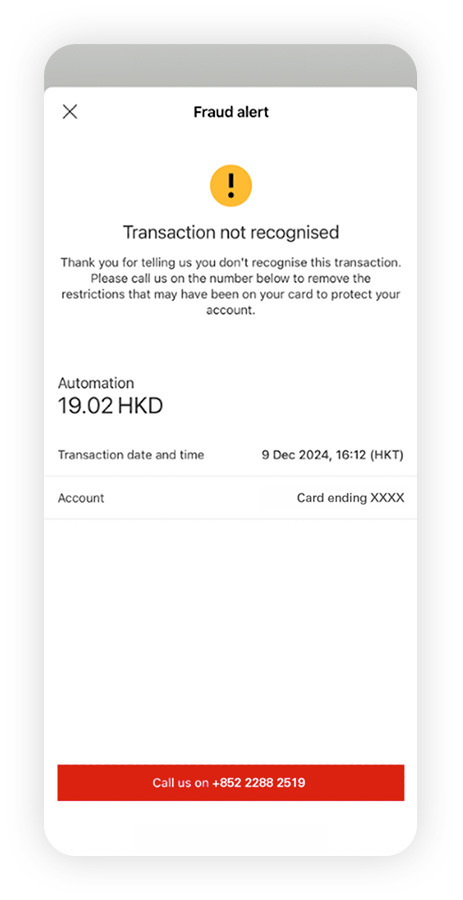
Select 'No' if you do not recognise the transaction or the details are incorrect
We'll decline the transaction and also reach out to you between 9am-10:30pm HKT to understand more about this.
You can help fight fraud too. Get in touch with us immediately via the app after you've responded with 'No'.
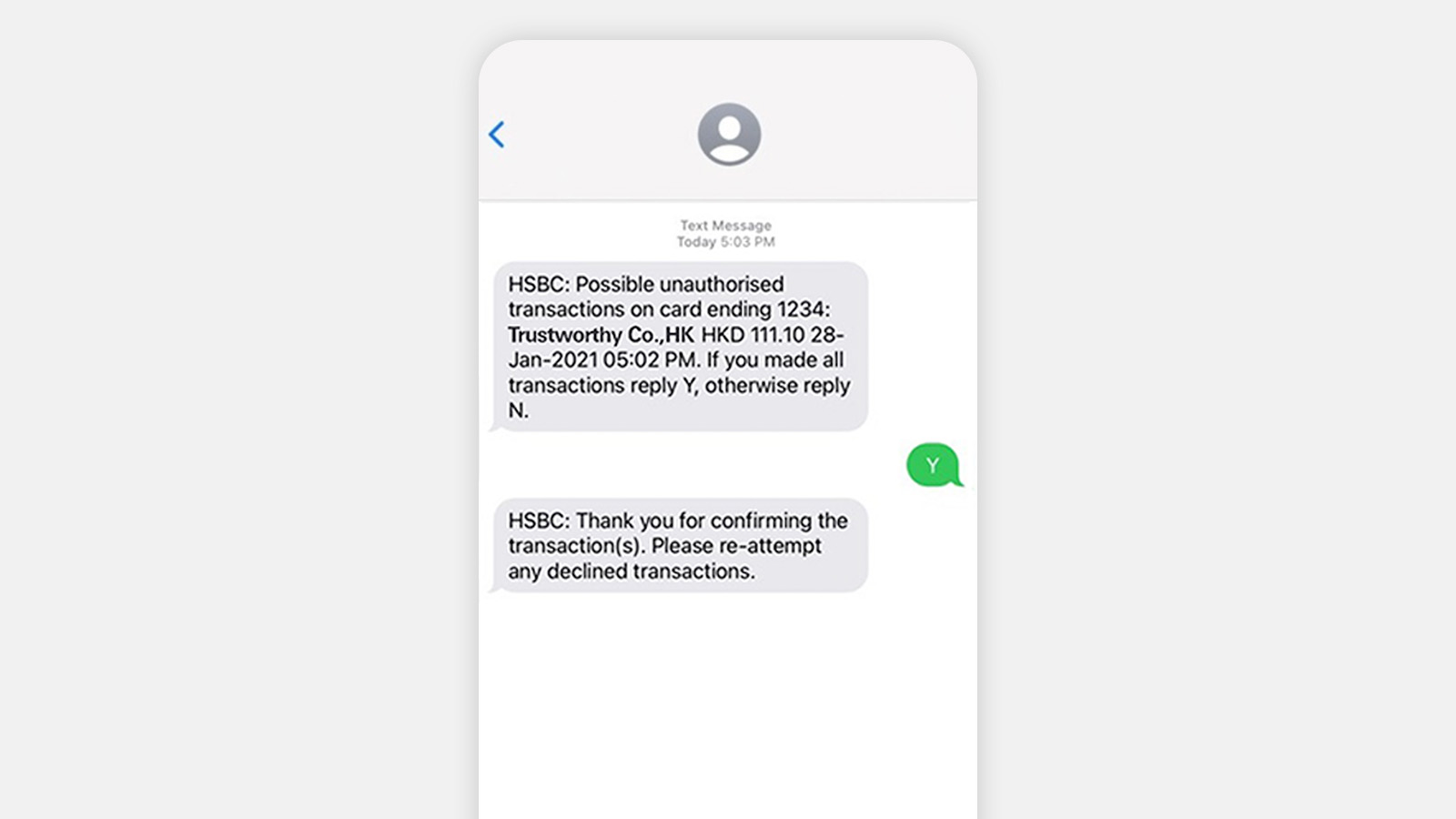
HSBC HK App
2-way SMS
Start by turning on push notifications on the HSBC HK App
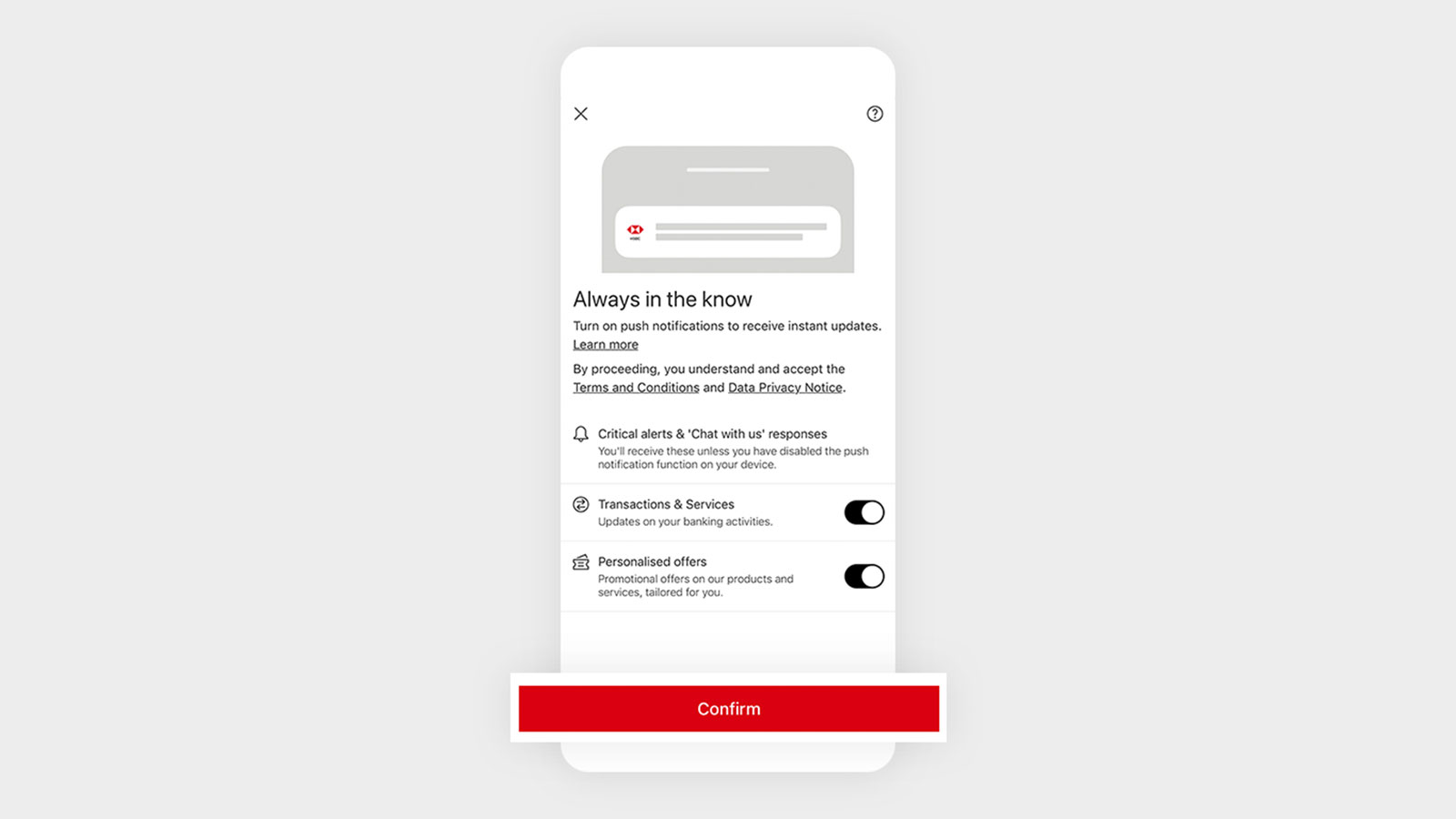
If you already have push notifications turned on for the HSBC HK App, then you're all set to receive these alerts.
Otherwise, please follow these steps to turn on push notifications for the HSBC HK App:
- Select the menu icon, then the profile icon.
- Find 'Settings and preferences', then select 'Communication preferences'.
- Use the toggle to switch on push notifications for 'Transactions & Services'

Safeguarding yourself when using your card
-
Shop only at secure, trustworthy websites
Check that the website address starts with 'https' and that there's a padlock icon in the address bar. -
Authenticate your online transactions with a more secure wayWhen shopping at supported online merchants, use the new HSBC HK App Online Transaction Authentication Service to securely authenticate your online transactions instead of SMS OTP.
-
Check the details in your OTP SMS
When you receive an OTP (one-time passcode) from HSBC, don't just look for the 6-digit code and rush to act—check other essential information including the merchant name, transaction time and amount so you can be sure you're authorising the correct transaction. -
Review your transactions regularly
Log on to the HSBC HK App regularly or review your card statements and the transactions in it carefully. Make sure that you recognise each transaction made. -
Never disclose any sensitive personal details
Don't share your banking credentials, no matter how tempting the offer may seem. Fraudsters may impersonate real organisations and use phishing SMSes, emails, fake websites, bogus calls or malicious links to trick you into sharing sensitive information such as your card number, CVC/CVV number or OTPs.
Reporting suspicious activities on your card
See a transaction you don't recognise? Don't worry, you can place a temporary block on your card while you double-check your records or file a report with us.
Place temporary block on your card
If you've lost your card or you believe it might have been stolen or misused, you can temporarily block it via the HSBC HK App, HSBC Online Banking or by calling our 24/7 customer service hotline.
You can also report a lost or stolen card via our 24/7 customer service hotline.
To learn more on how to block a card, please visit the HSBC HK website > See FAQs, forms and fees & charges > Card support > Report lost or block your cards.
File a report with us
If you spot any suspicious activity or unauthorised transactions on your cards, please call us to report them immediately.
HSBC Global Private Banking customers: (852) 2233 3033
HSBC Premier Elite customers: (852) 2233 3033
HSBC Premier customers: (852) 2233 3322
Other personal banking customers: (852) 2233 3000
Notes
-
If you haven't registered for mobile banking service or installed HSBC HK App with Mobile Security Key activated and verified, then we will continue sending SMS OTP to your registered mobile number for online transaction authentication.
- You should ensure that your mobile phone and other telecommunications equipment and related services are capable of receiving Push Notification Alerts through push notifications.
- Push notification runs on the service provided by Apple Inc. ("Apple") or Google LLC ("Google"), as applicable. Any delay or failure in delivering push notification messages due to Apple's or Google's service is beyond our control.
- Apple, the Apple logo, iPhone, iPad, Touch ID and Face ID are trademarks of Apple Inc., registered in the US and other countries. App Store is a service mark of Apple Inc.
- Google Play and the Google Play logo are trademarks of Google LLC. Android is a trademark of Google LLC.
- The screen displays are for reference and illustration purposes only.