
Safeguard your account and Android device
We've rolled out new safety measures on the Android version of the HSBC HK App to protect you from potential malware-related fraud. Learn more about the malware scams, the features we've added to protect you, and tips to keep yourself safe.
Take me straight to
- Beware of malware scams
- New safety measure in the Android version of the HSBC HK App
- With this safety measure, under what conditions will my access to HSBC HK App be suspended?
- How will I know if my access to the app is suspended?
- I've downloaded some app(s) from unofficial sources, and my access to HSBC HK App is suspended. What should I do to restore access?
- I've enabled the debugging option in my device, and my access to HSBC HK App is suspended. What should I do to restore access?
-
I've installed the HSBC HK App on a third-party platform, and my access to HSBC HK App is suspended. What should I do to restore access?
- Tips to protect yourself from malware
Beware of malware scams
We've seen a rise in malware fraud cases. They happen when fraudsters direct victims to download and install malicious apps on their Android device. This then gives them access to the victims' Android devices to allow them to conduct unauthorised transactions.
Our new safety measure can help protect you from such malware.
New safety measure in the Android version of the HSBC HK App
If we detect potential risks on your Android device, we'll suspend your access to the HSBC HK App from this device for your protection.
With this safety measure, under what conditions will my access to HSBC HK App be suspended?
You'll NOT be affected by the new measure if:
-
you're an Android user and only download apps from your phone's official app stores (for details on official app stores, please refer to FAQs );
- you’ve not enabled developer and/or debugging options in your device setting.
-
you've not installed the HSBC HK App on a third-party platform, such as virtual system or app cloning tool.
Your access might be suspended with the new measure if you've:
- installed apps from sources other than your phone's official app stores, and granted certain permissions for these apps, such as screen sharing or full control of your device;
- enabled developer and/or debugging options in your device setting.
-
installed the HSBC HK App on a third-party platform.
What you can do now:
- Check the accessibility settings on your device and assess which app permission is necessary. When in doubt, turn off the accessibility settings for those apps (go to device settings > Accessibility) or delete them.
- Turn off developer and debugging options (go to device settings > Developer options) to restore access.
-
Install the HSBC HK App on your device directly.
How will I know if my access to the app is suspended?
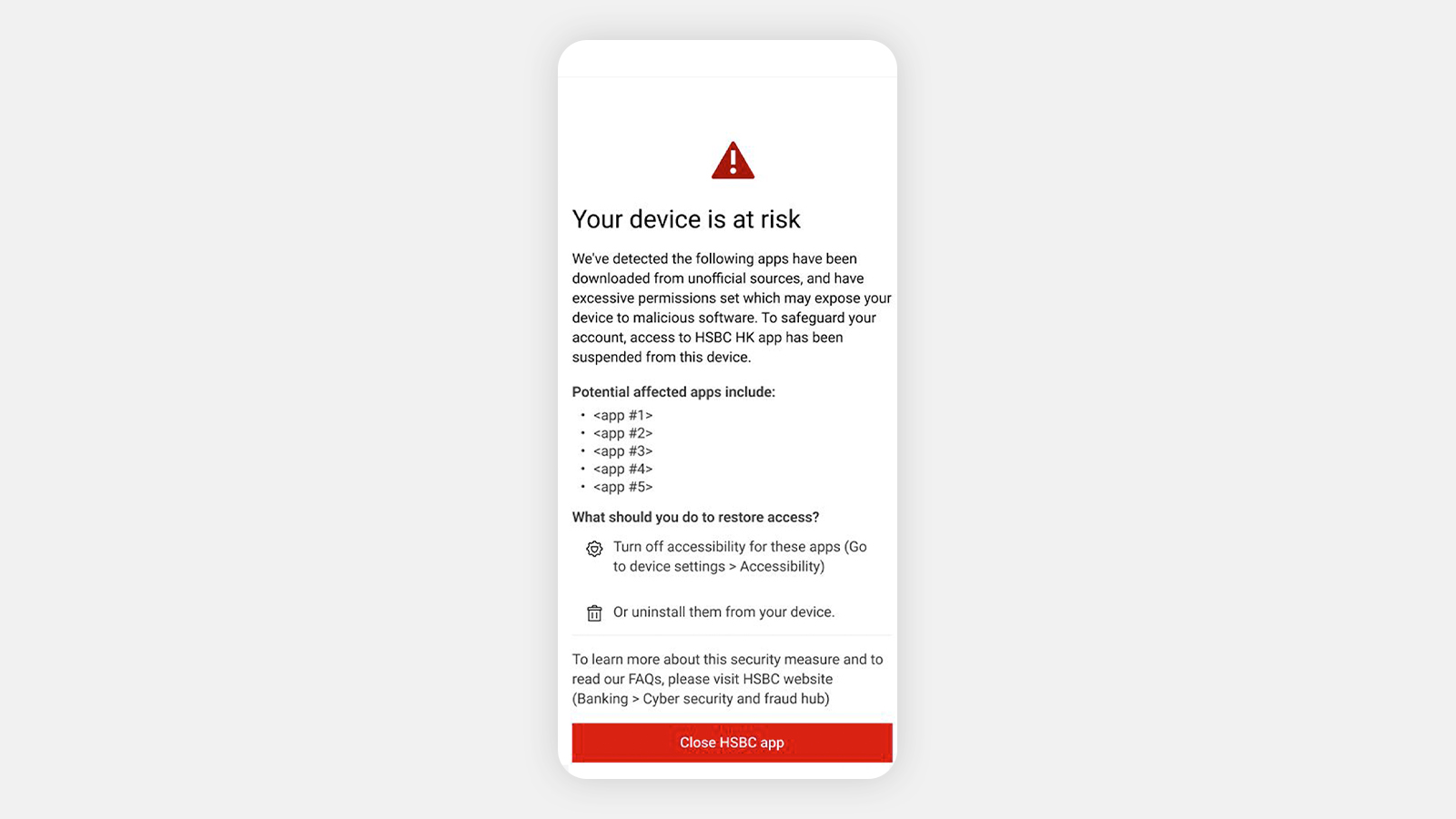
If you see this screen on the HSBC HK app, we've suspended your access to the app for your protection. To restore access, follow the instructions below.
I've downloaded some app(s) from unofficial sources, and my access to HSBC HK App is suspended. What should I do to restore access?
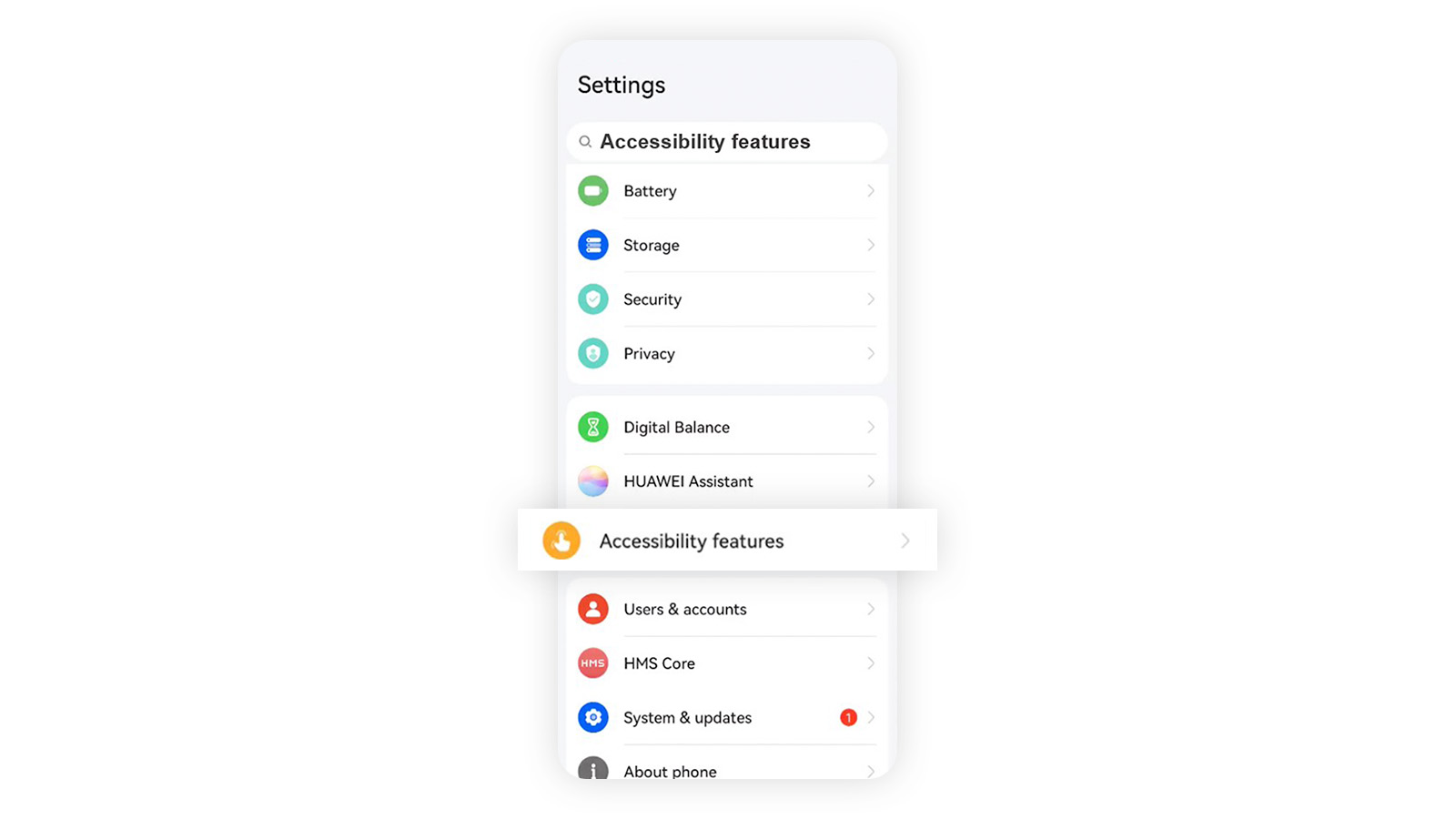
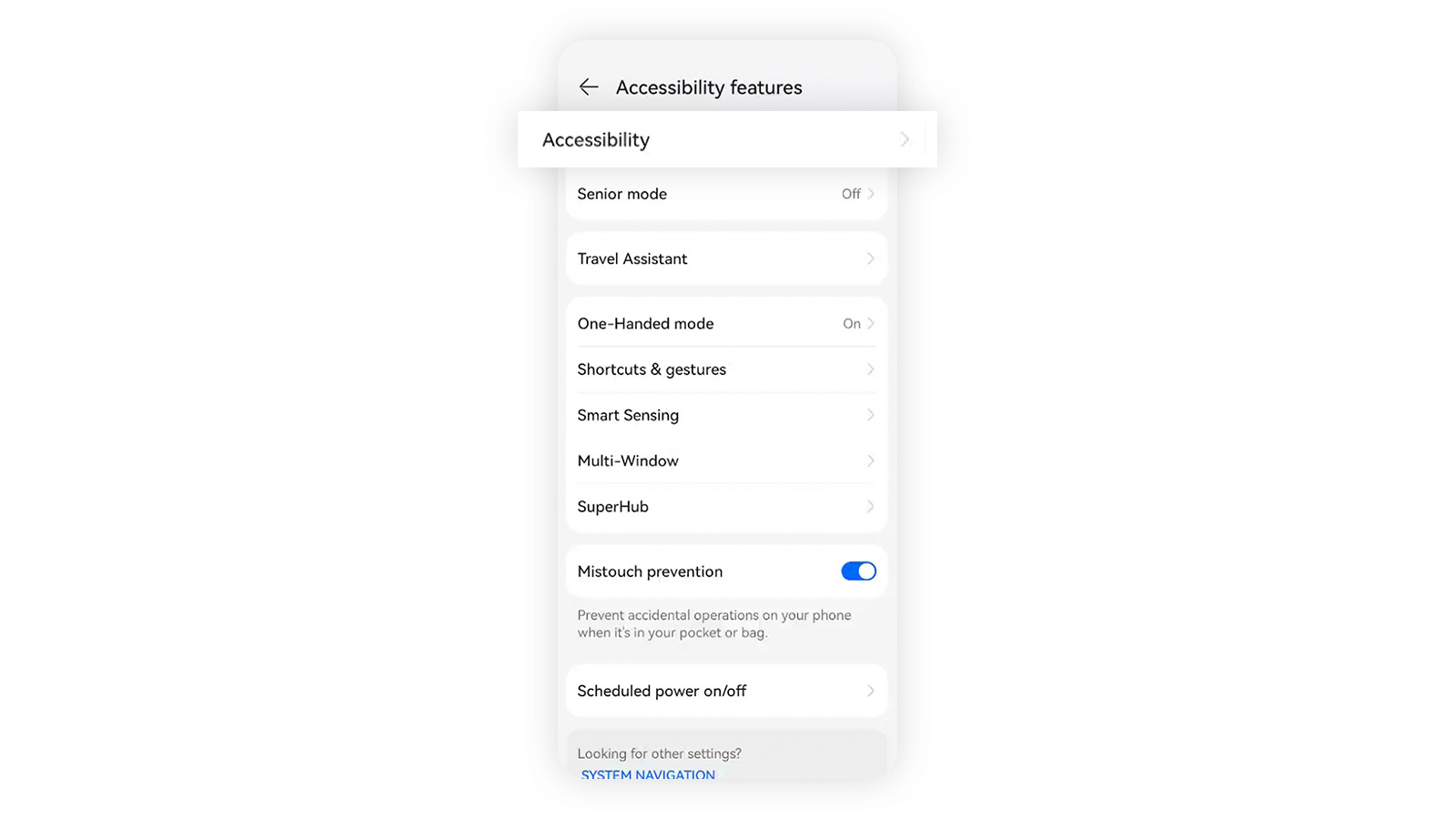
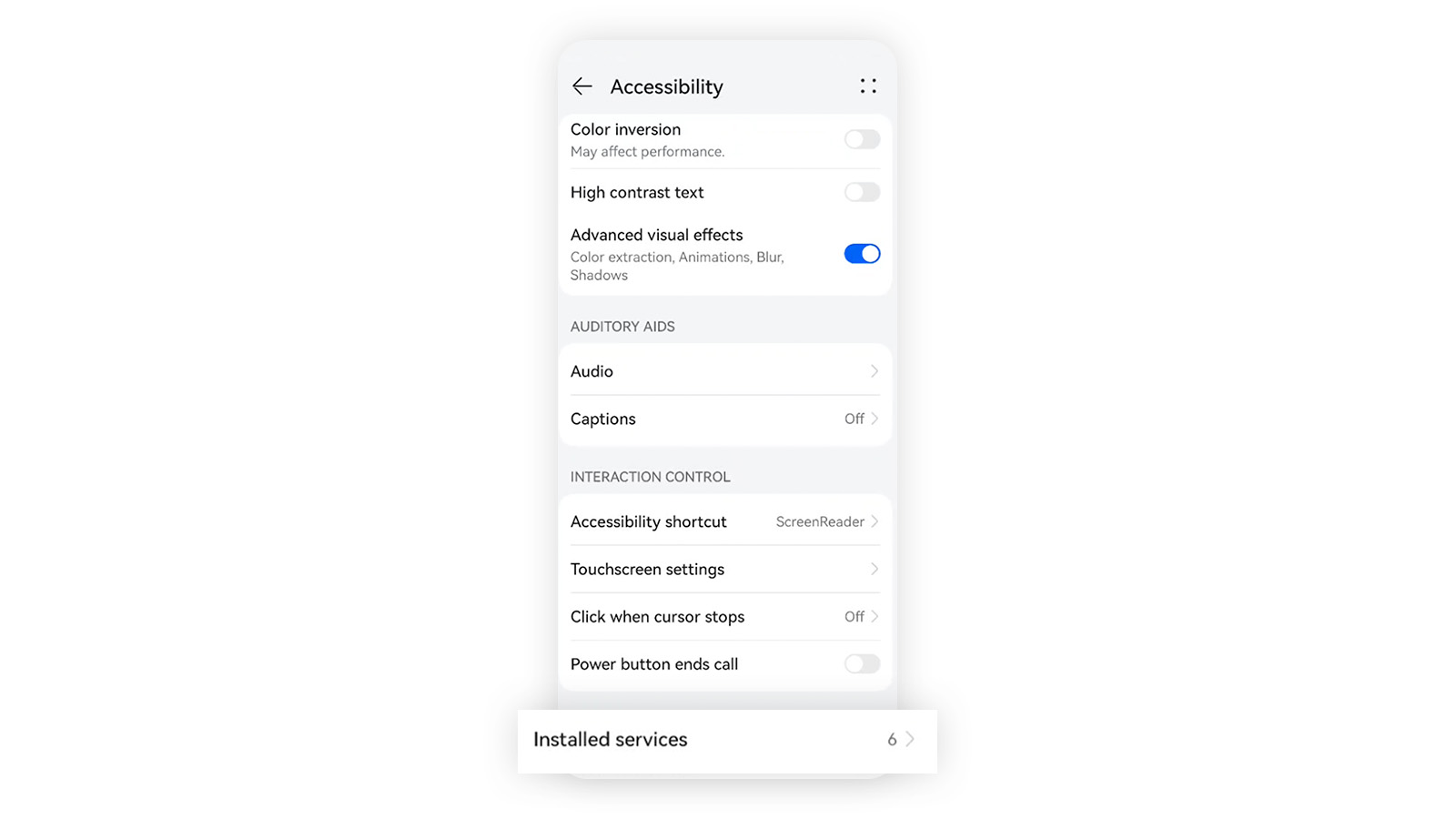
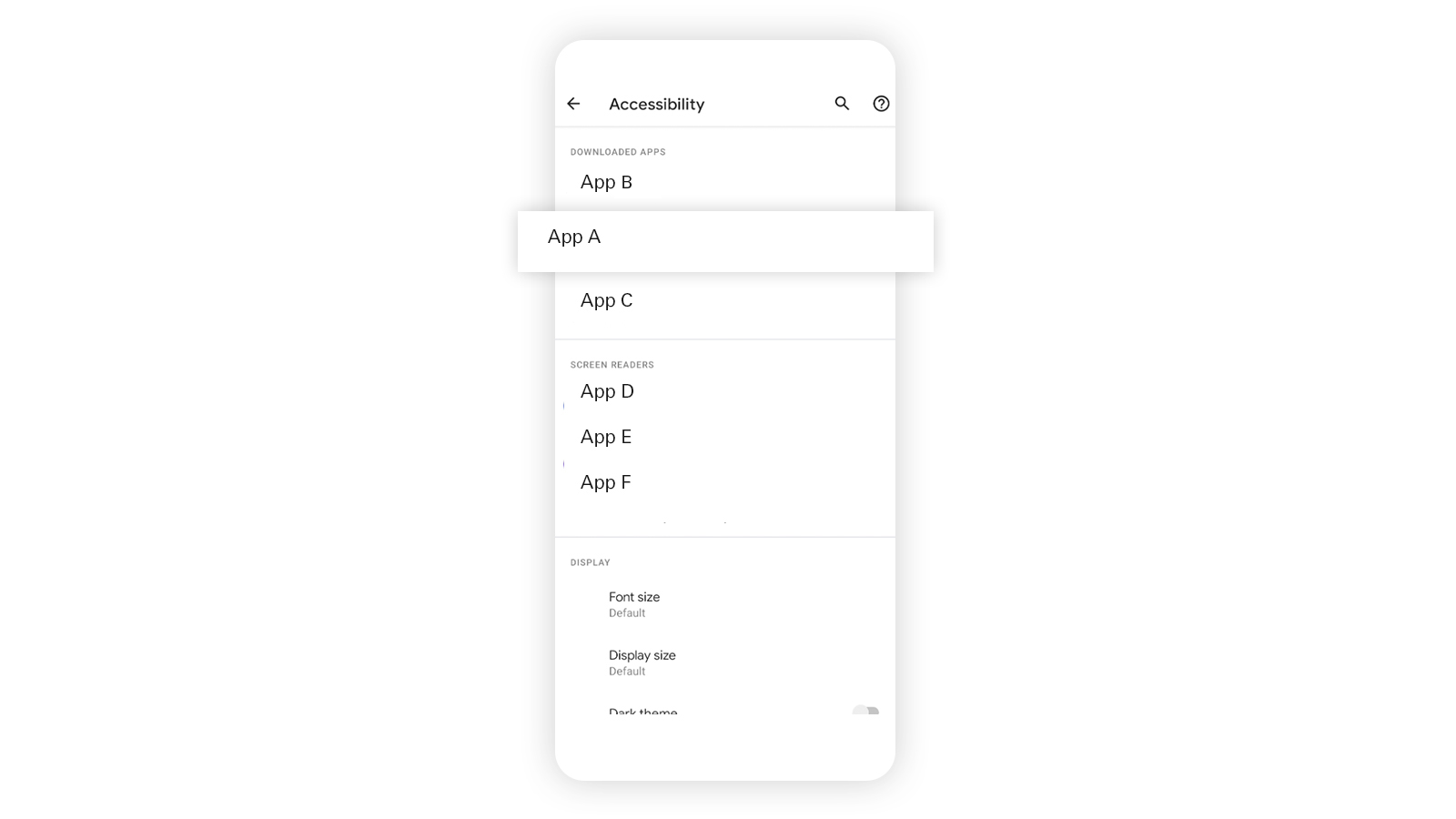
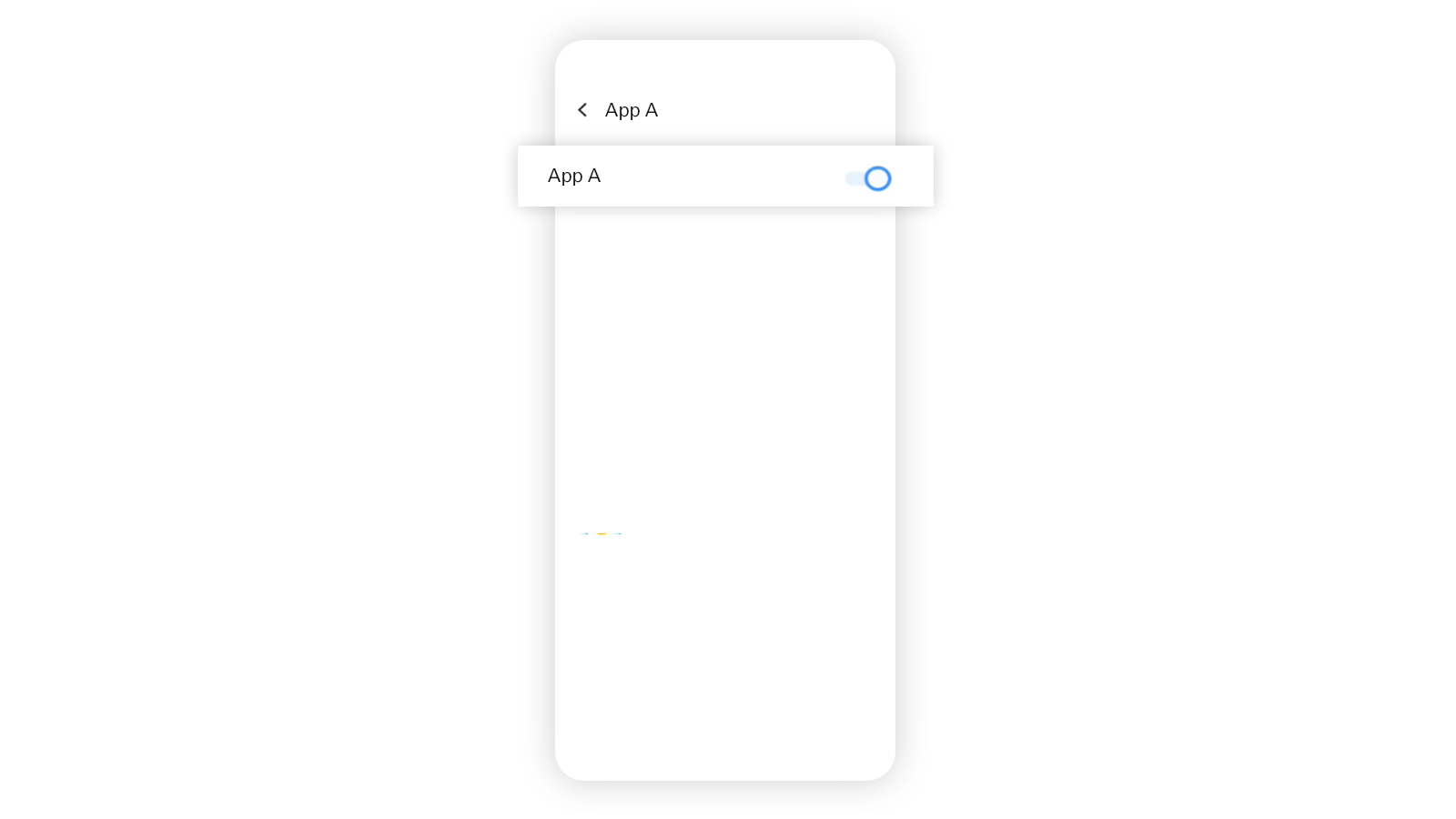
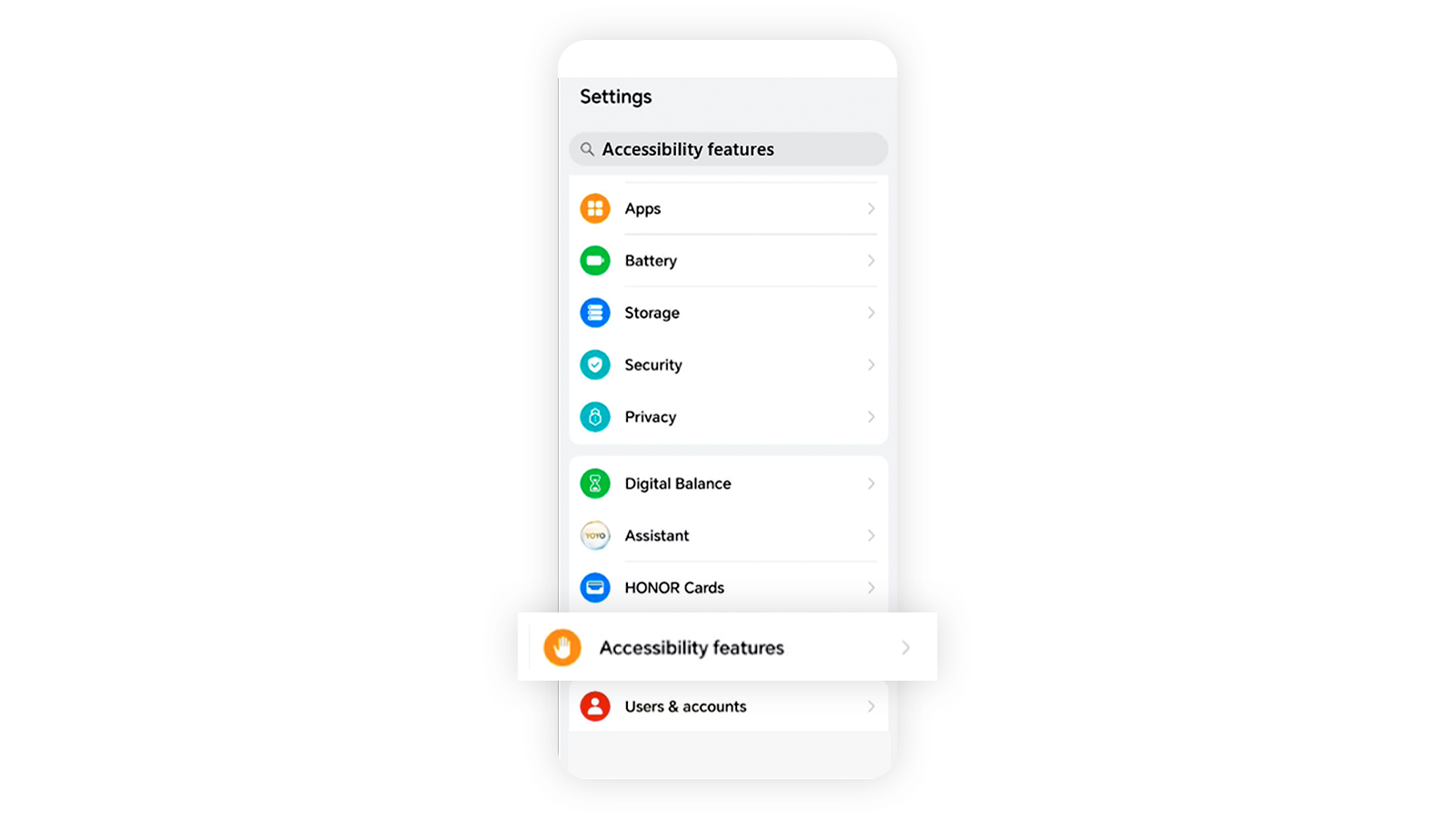
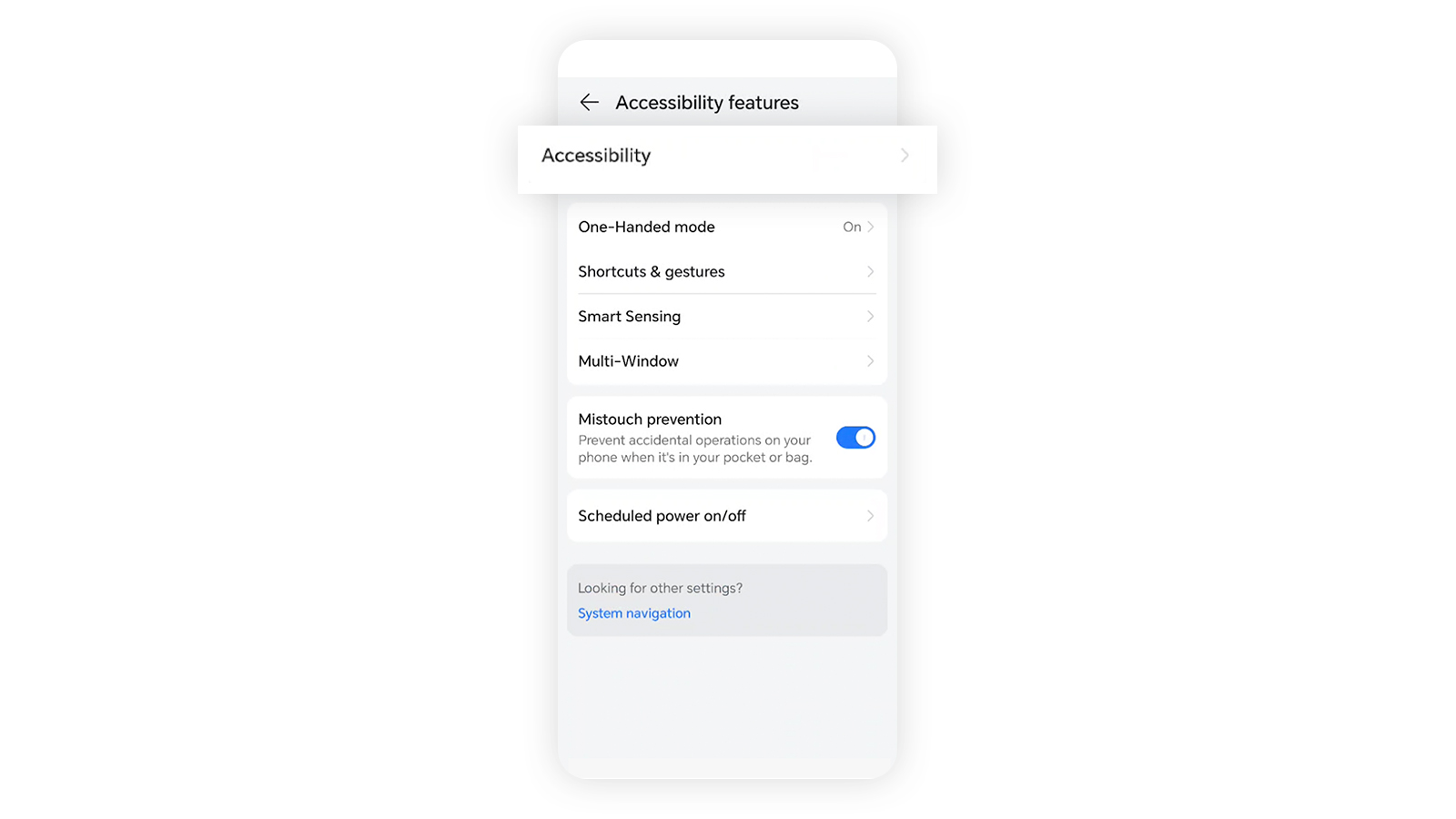
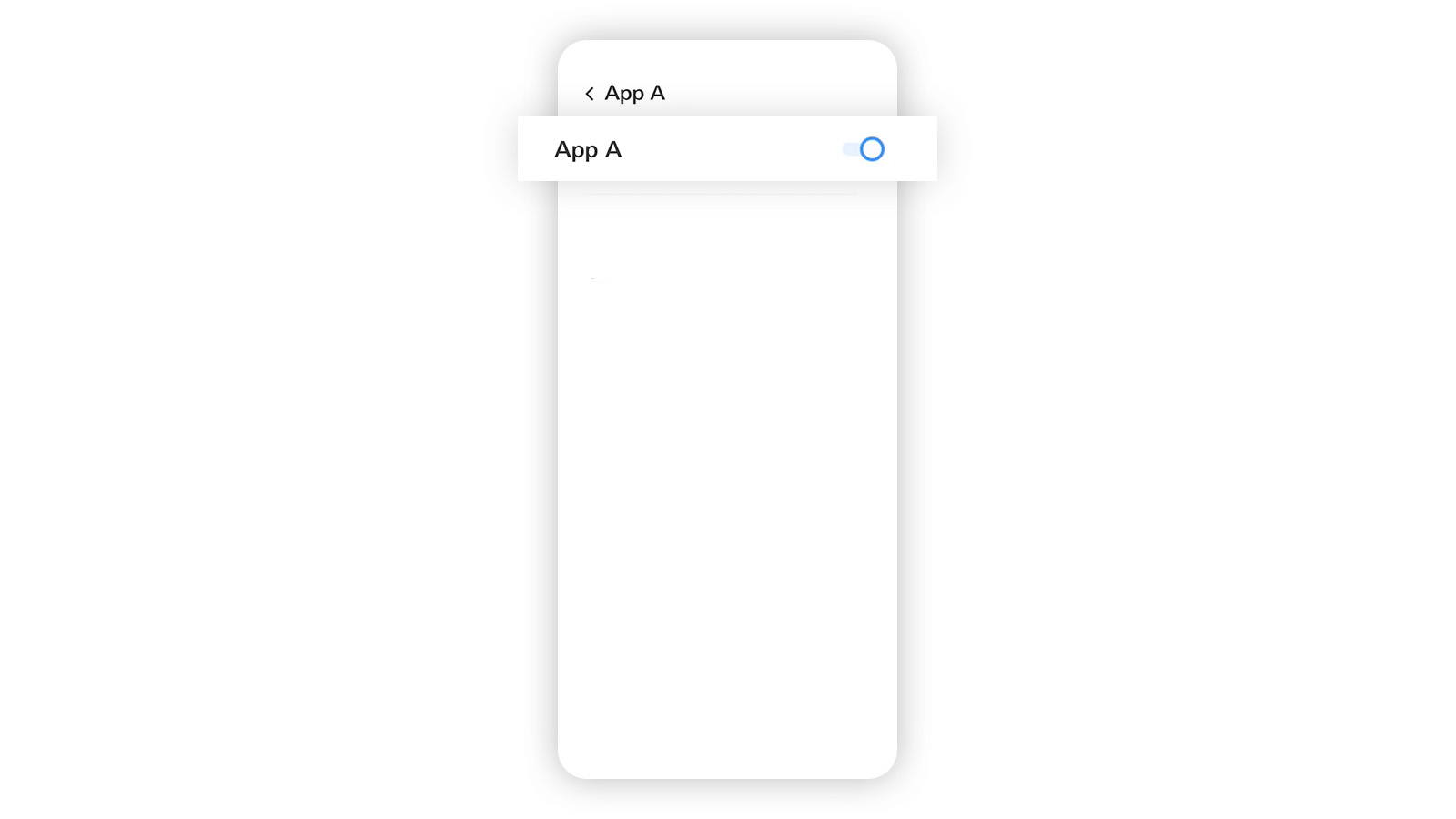
You can restore access to the HSBC HK App by turning off accessibility for apps installed from sources other than your phone's official app stores or delete them.
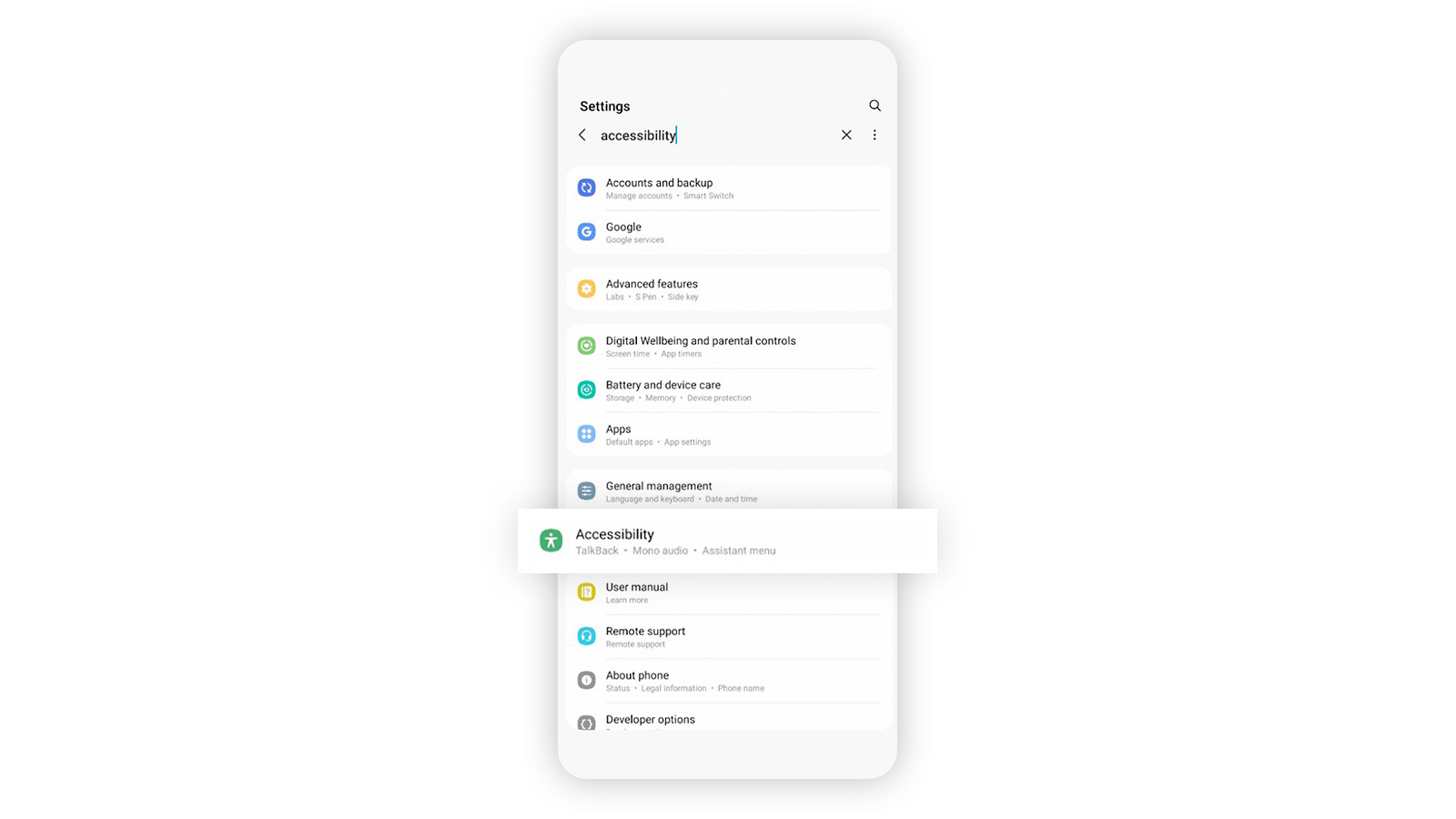
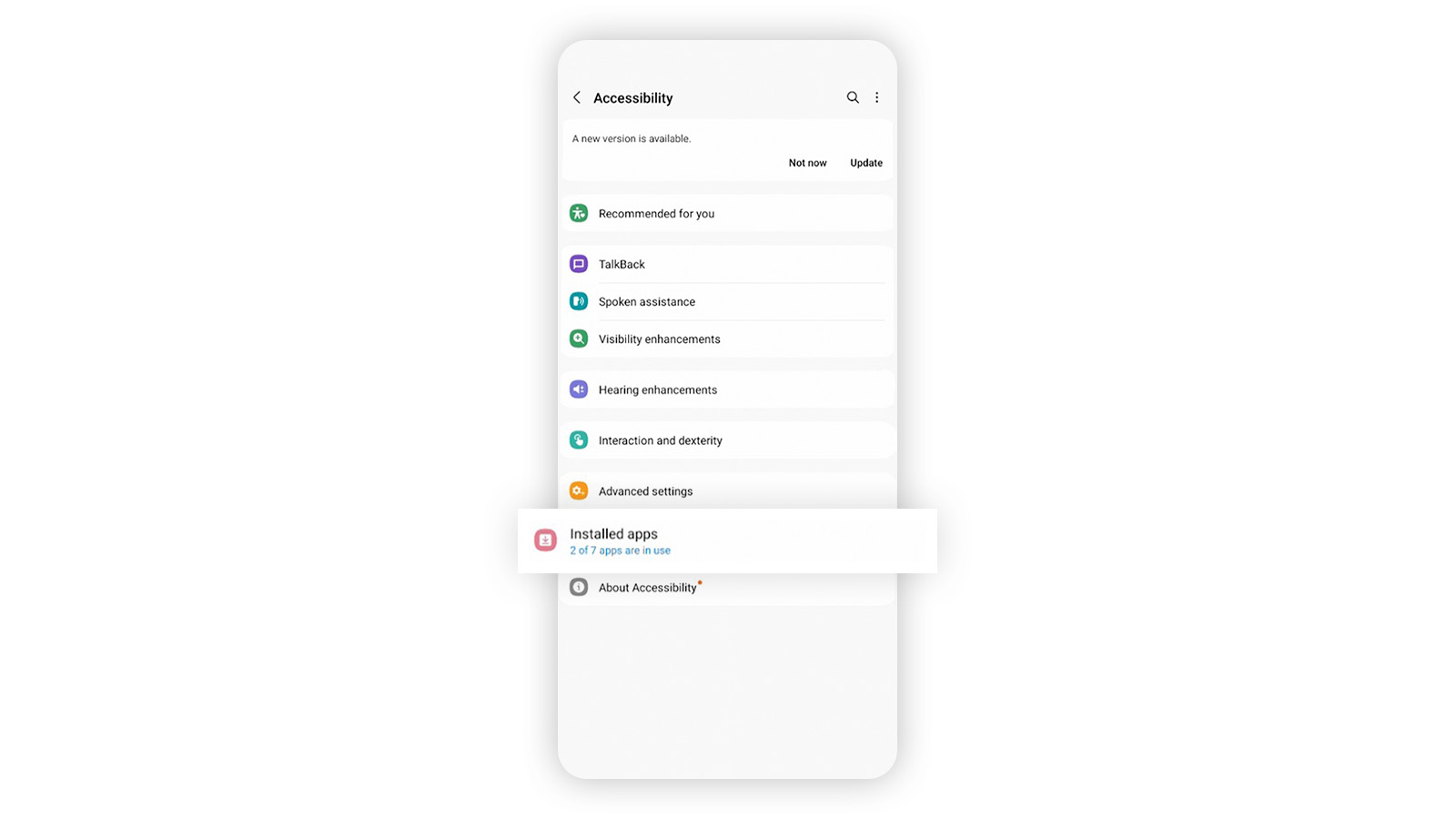
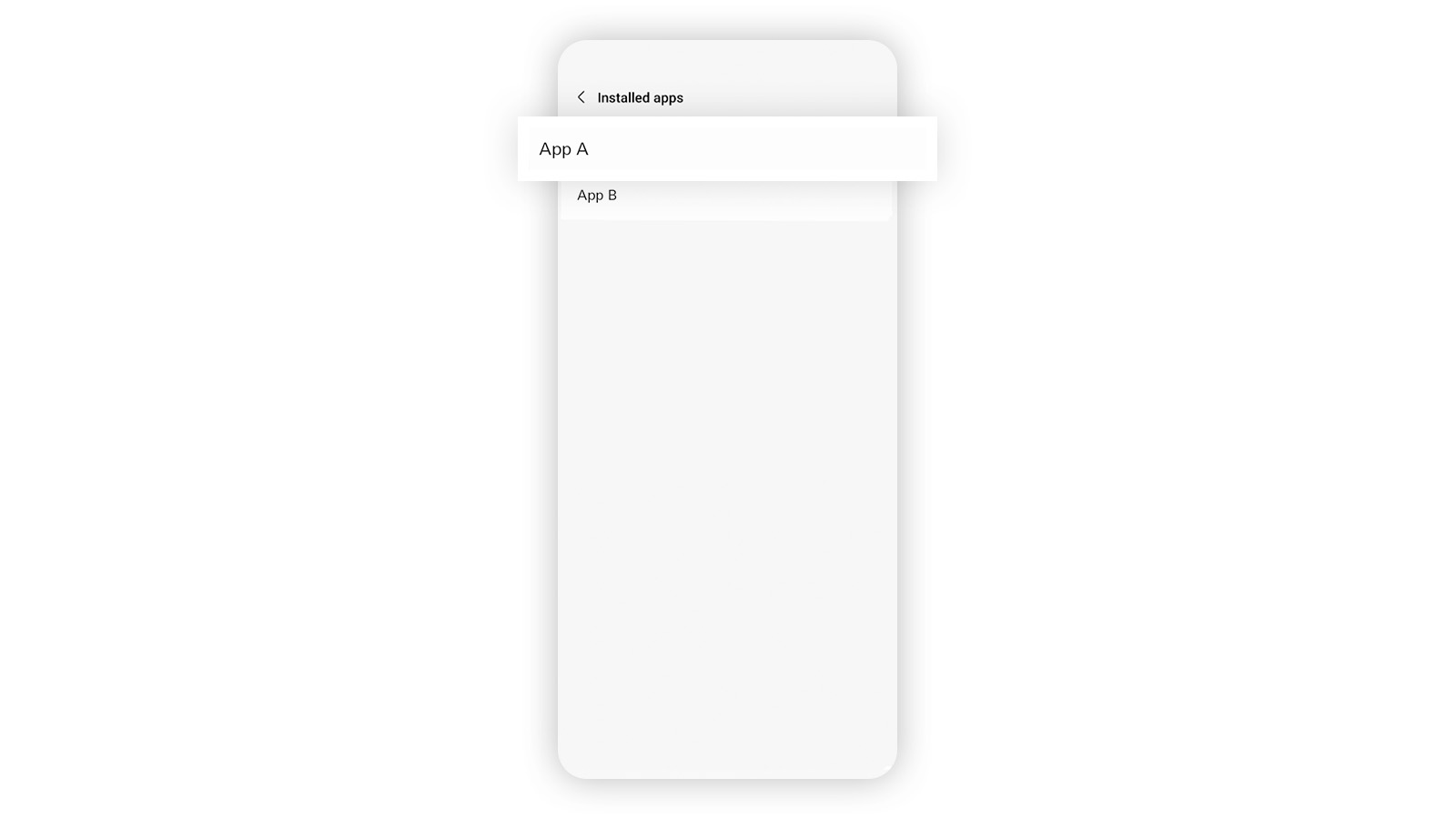
To check and manage your accessibility settings, simply follow these steps.
How to turn off accessibility of the apps on Samsung devices
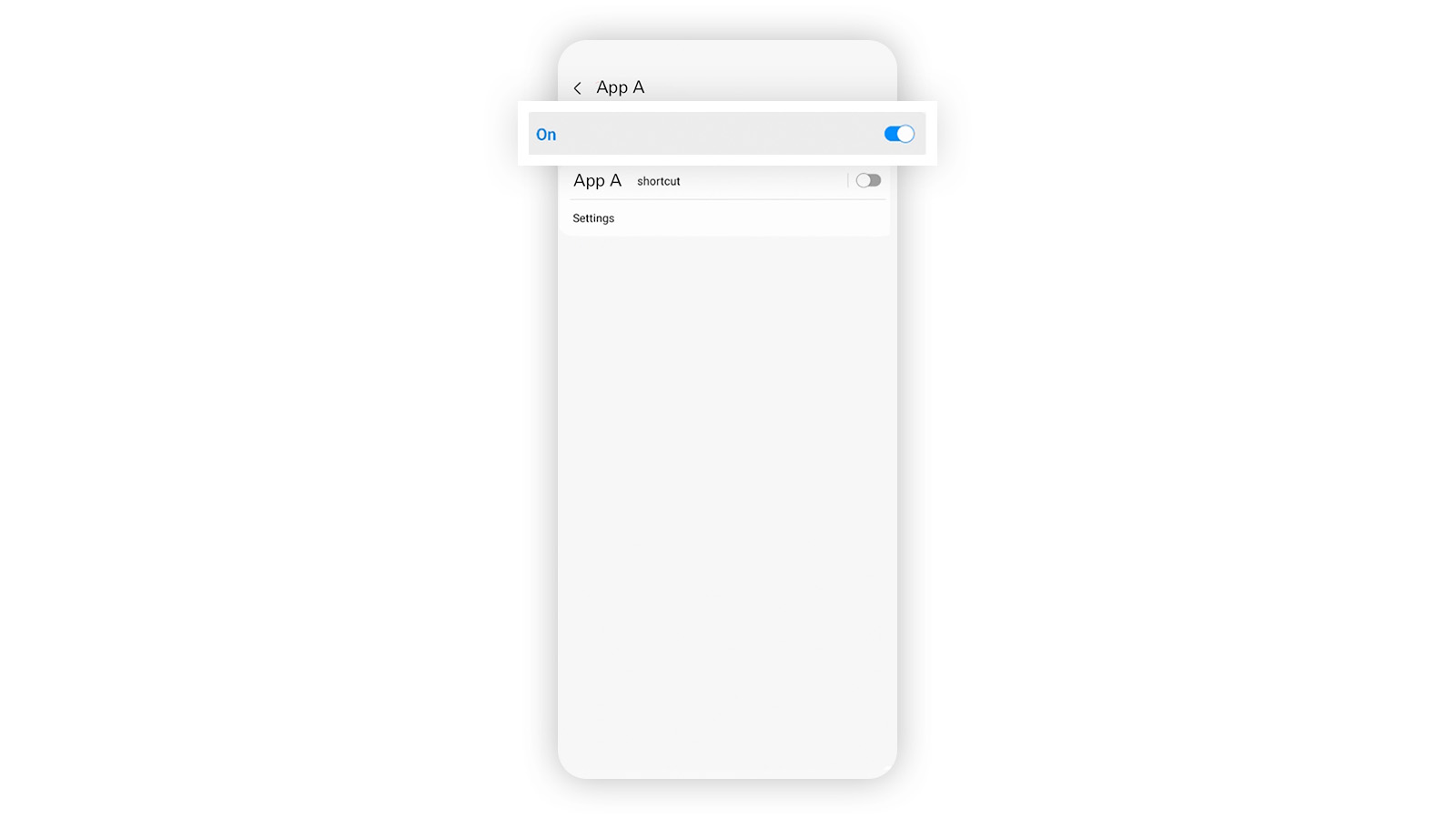
How to turn off accessibility of the apps on Huawei devices
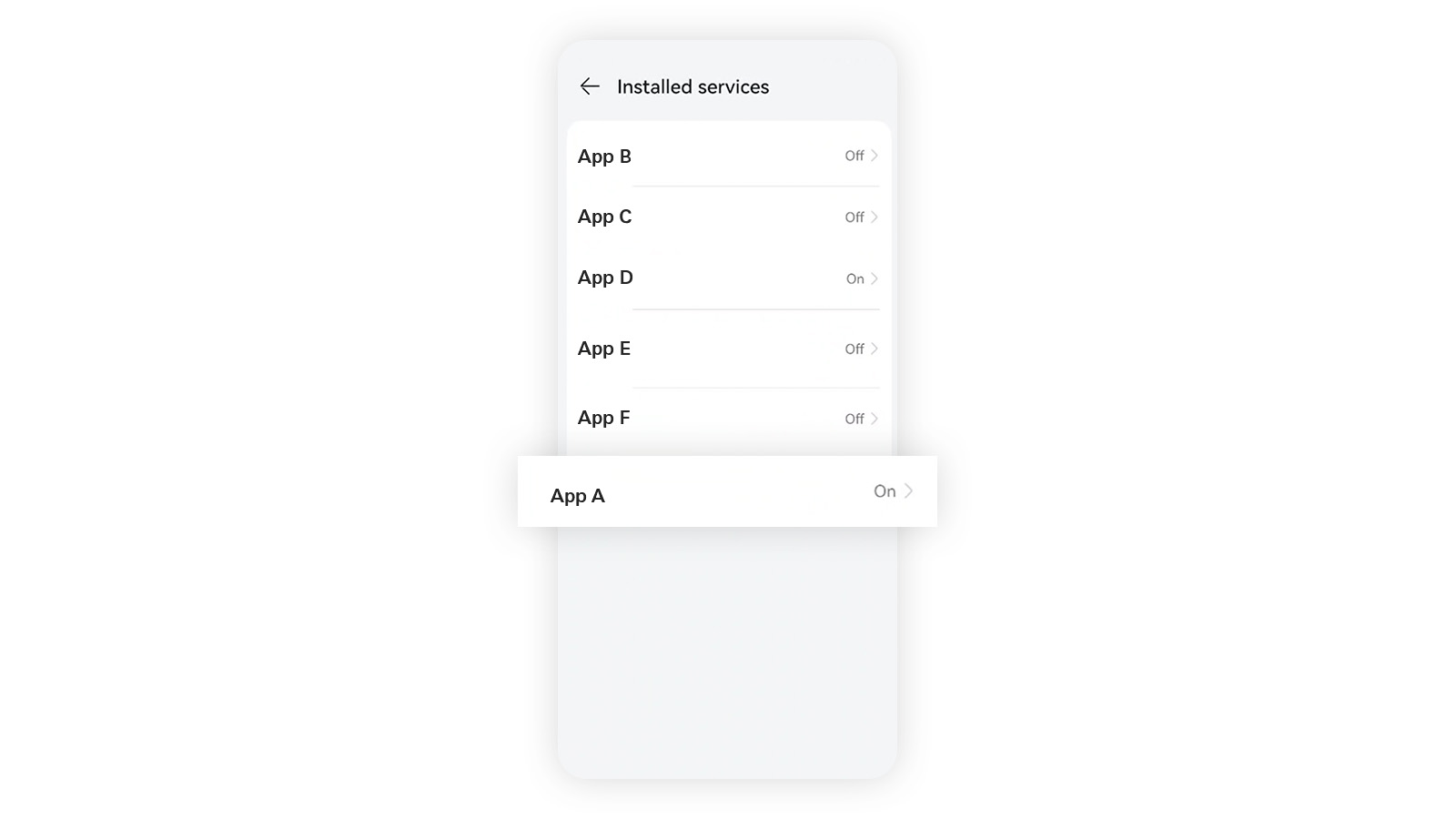
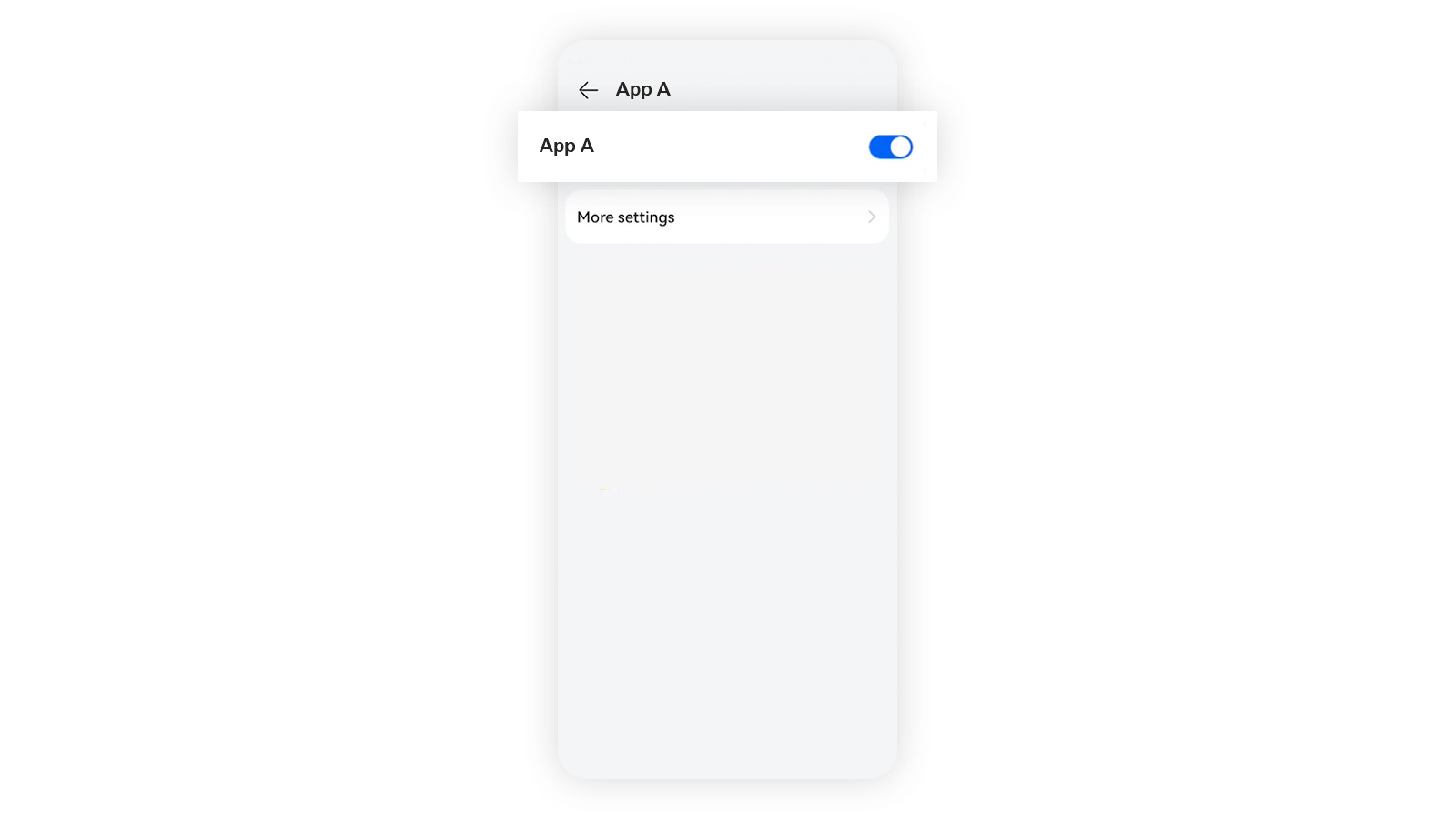
How to turn off accessibility of the apps on Xiaomi devices
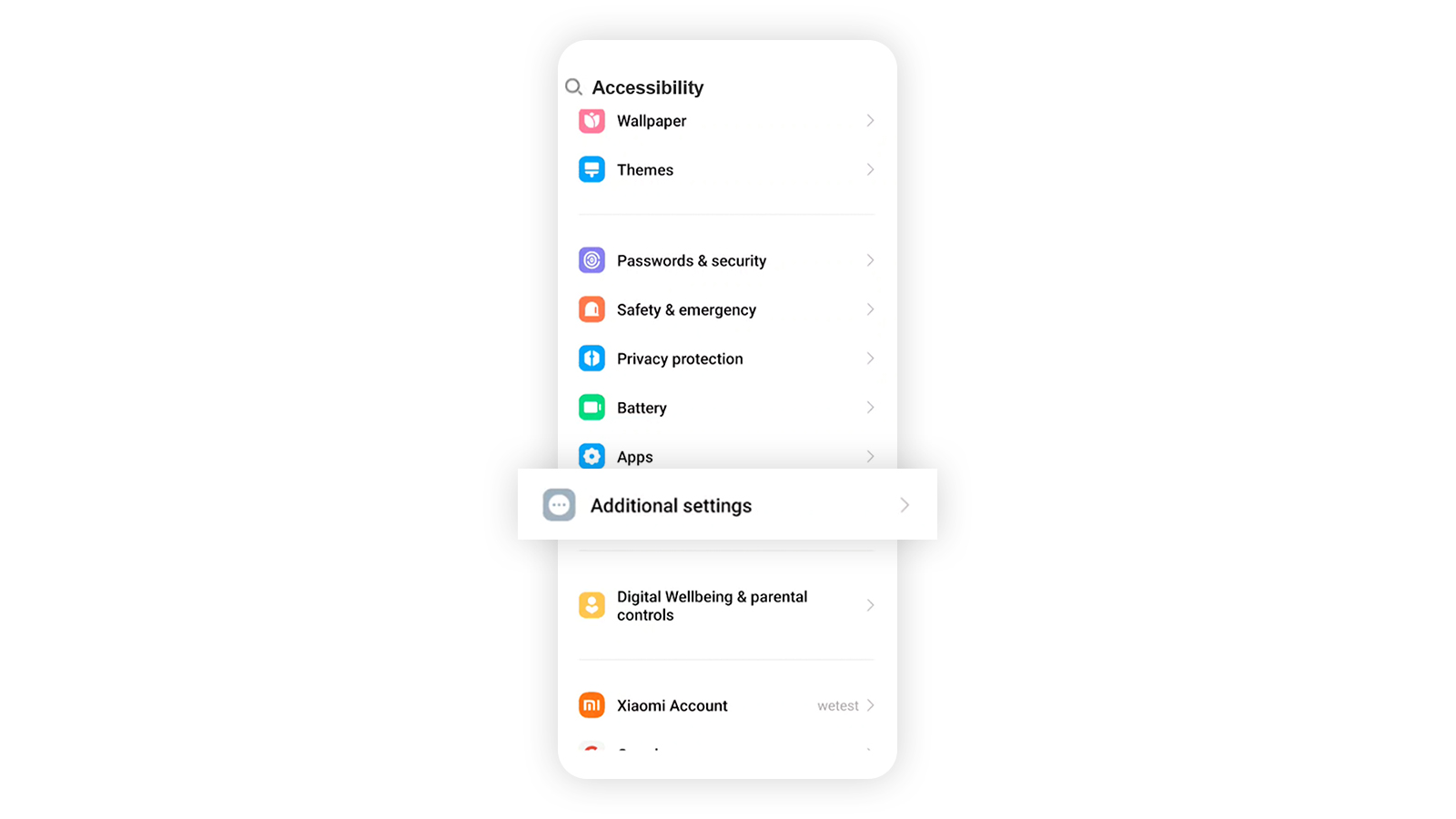
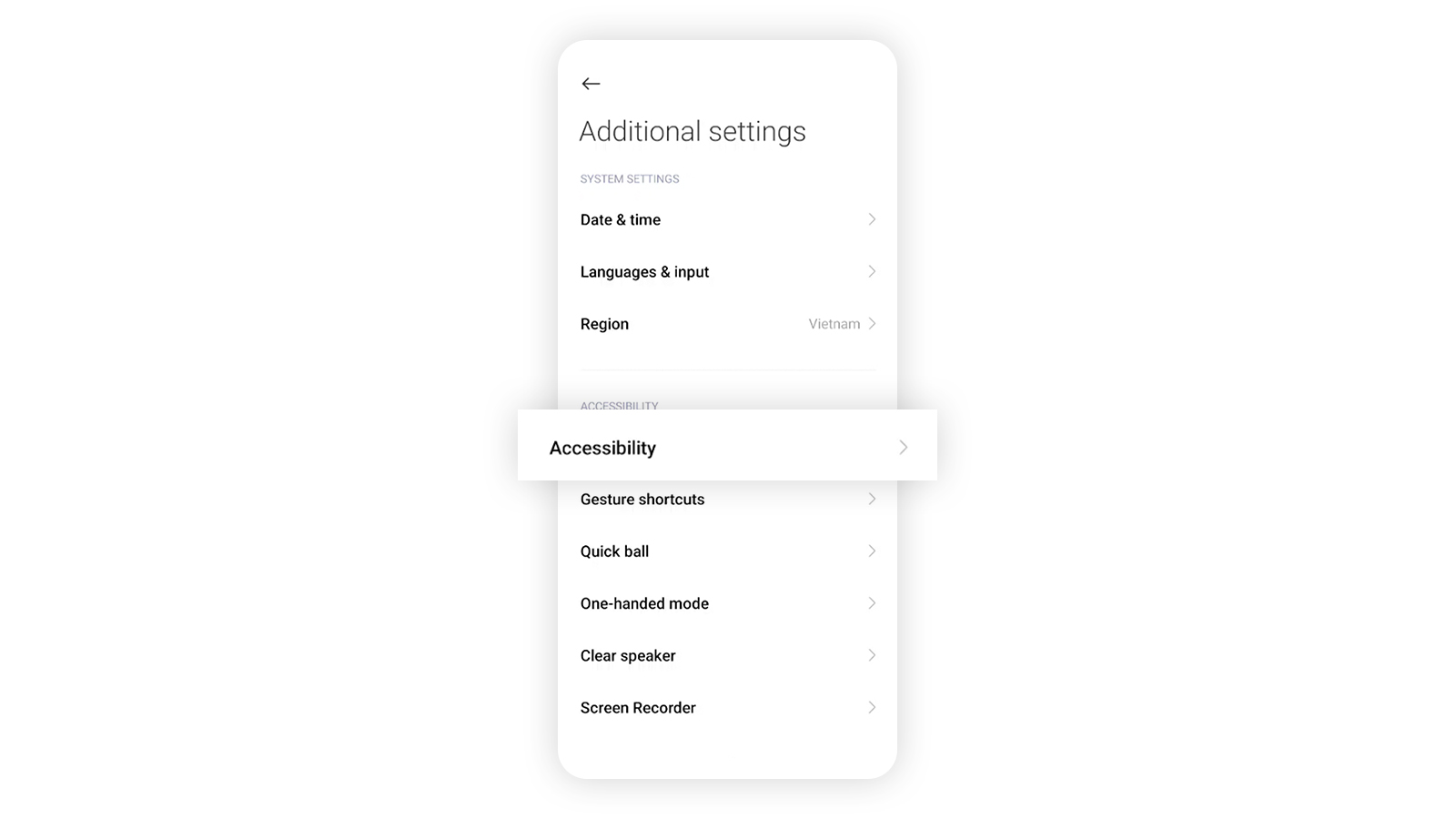
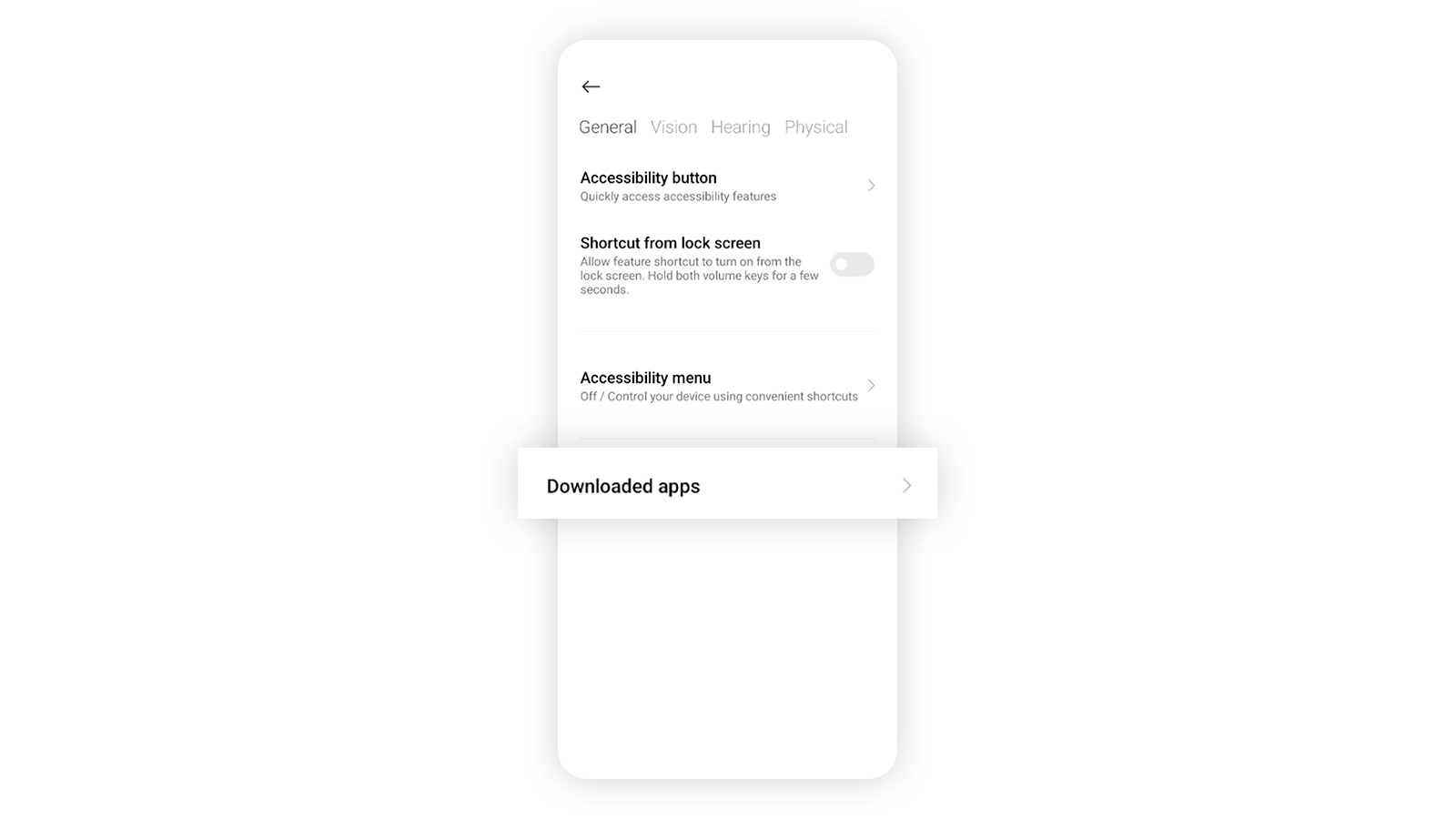
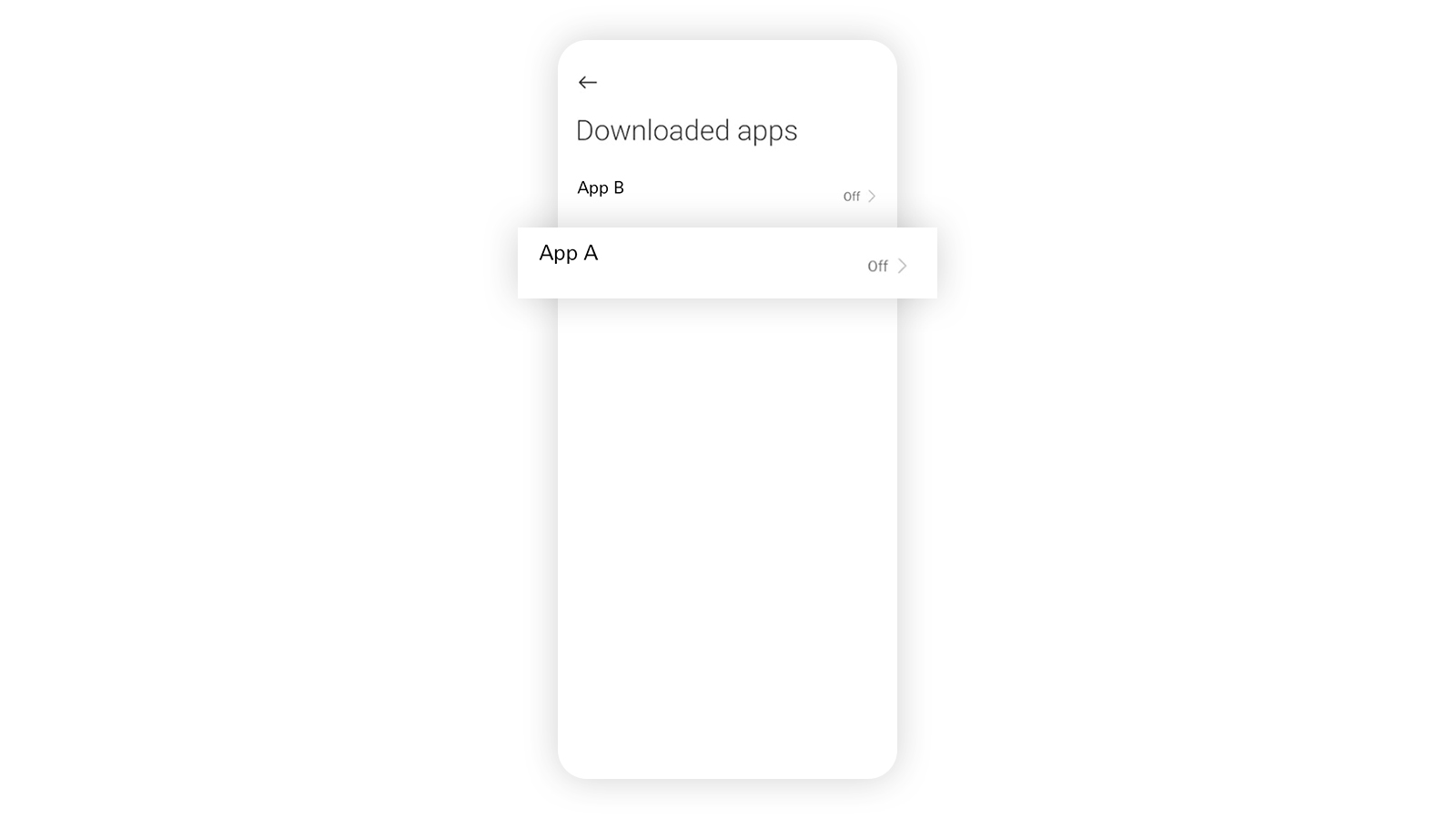
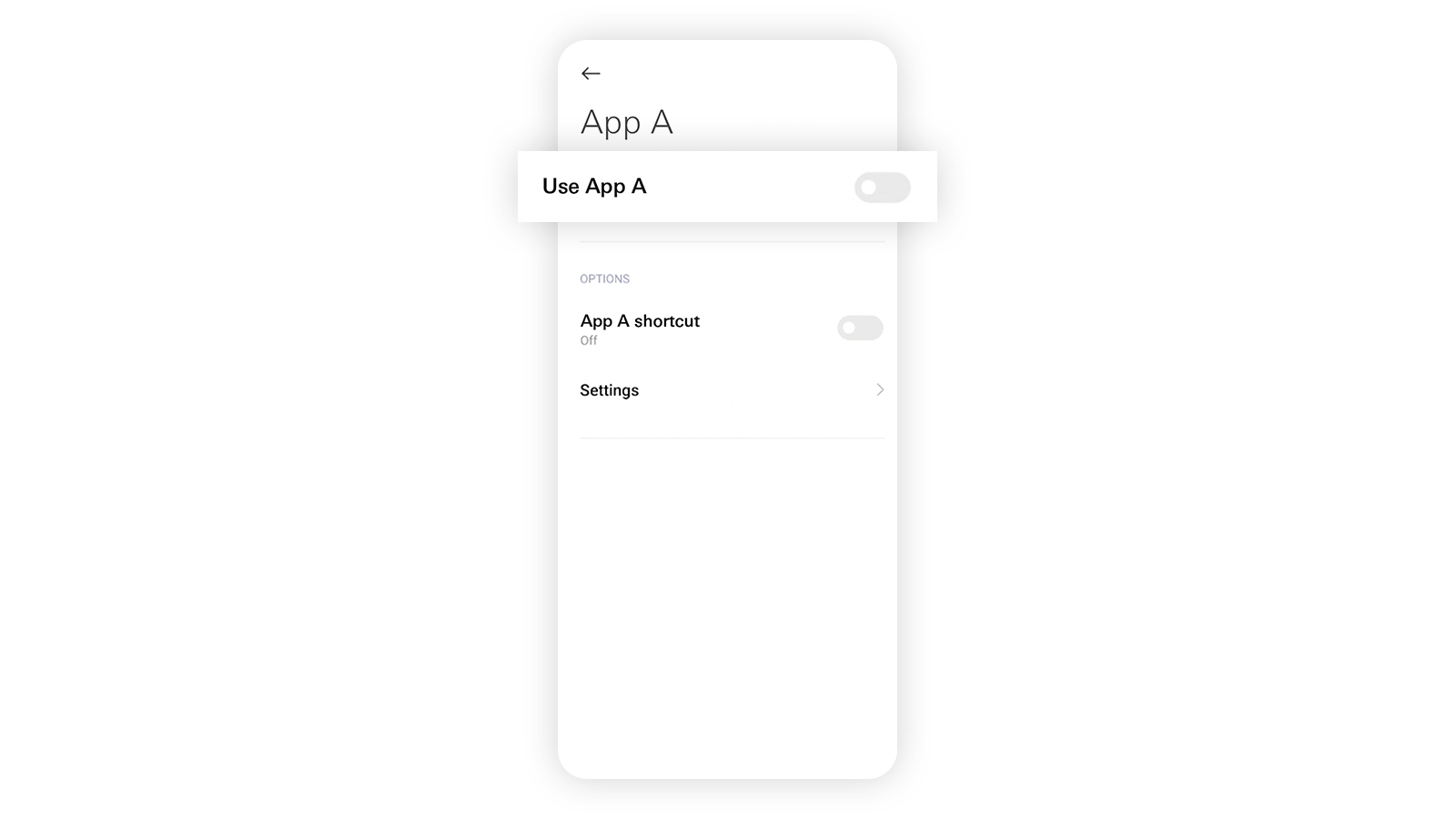
How to turn off accessibility of the apps on Google Pixel devices
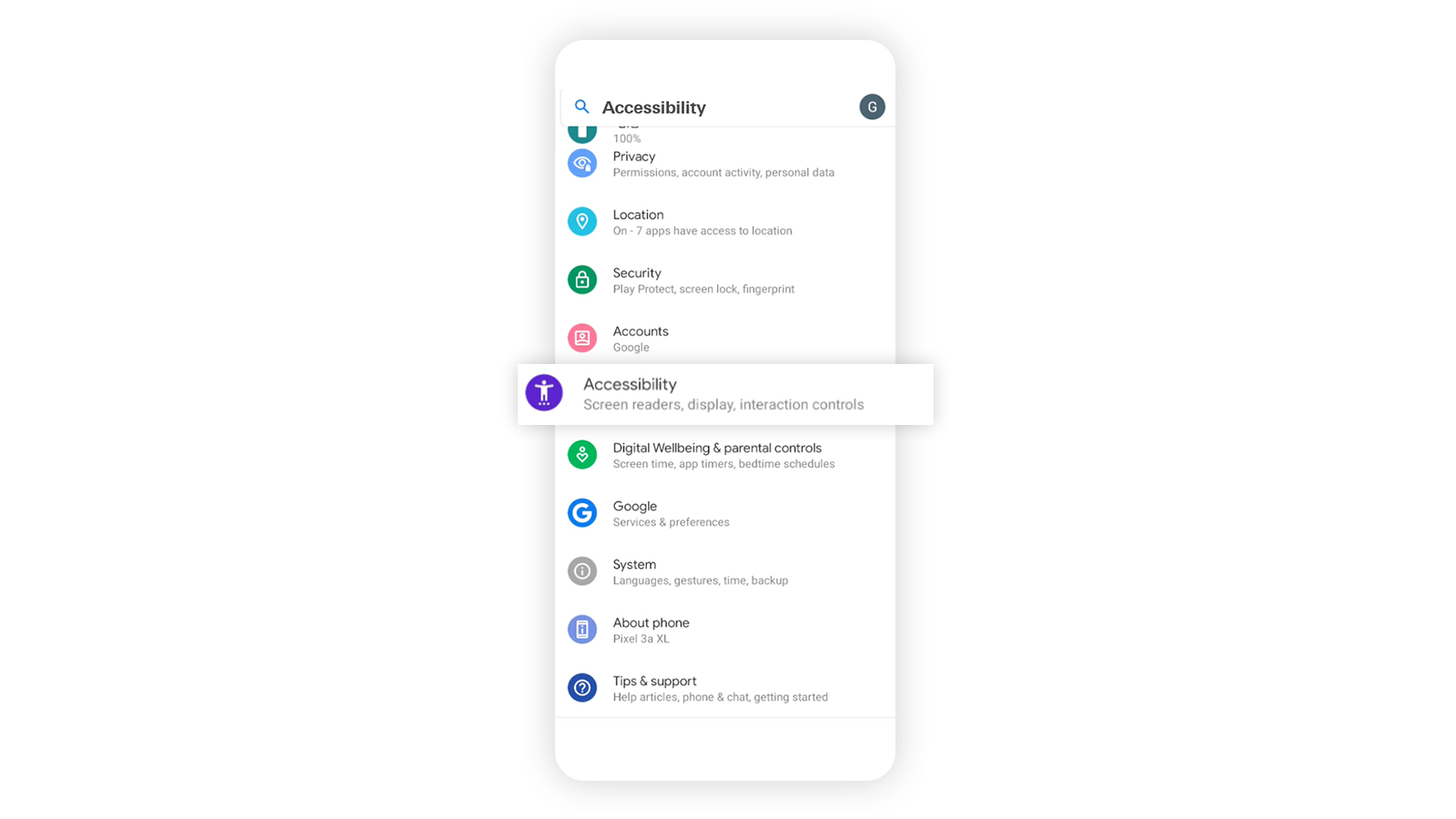
How to turn off accessibility of the apps on HONOR devices
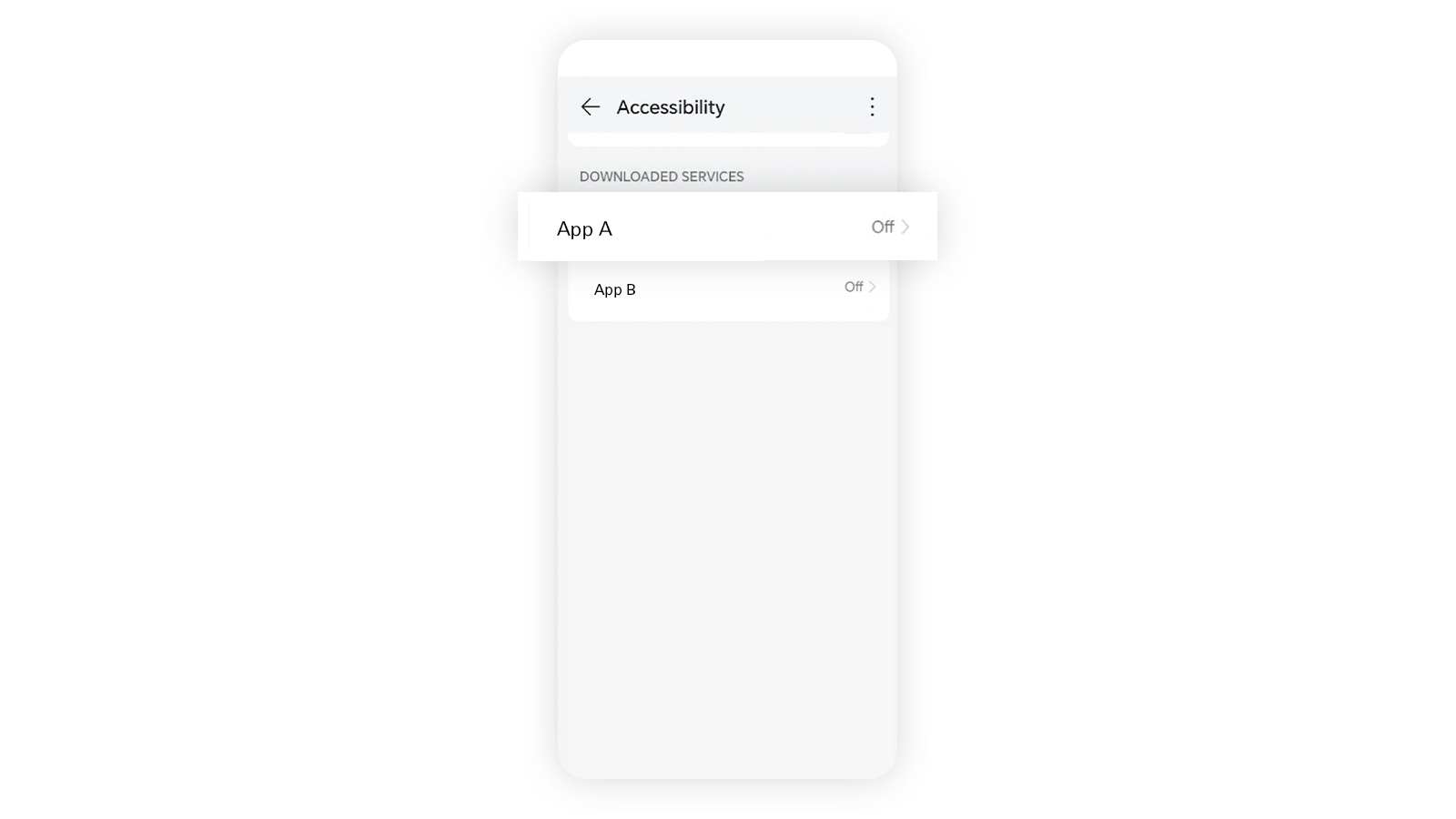
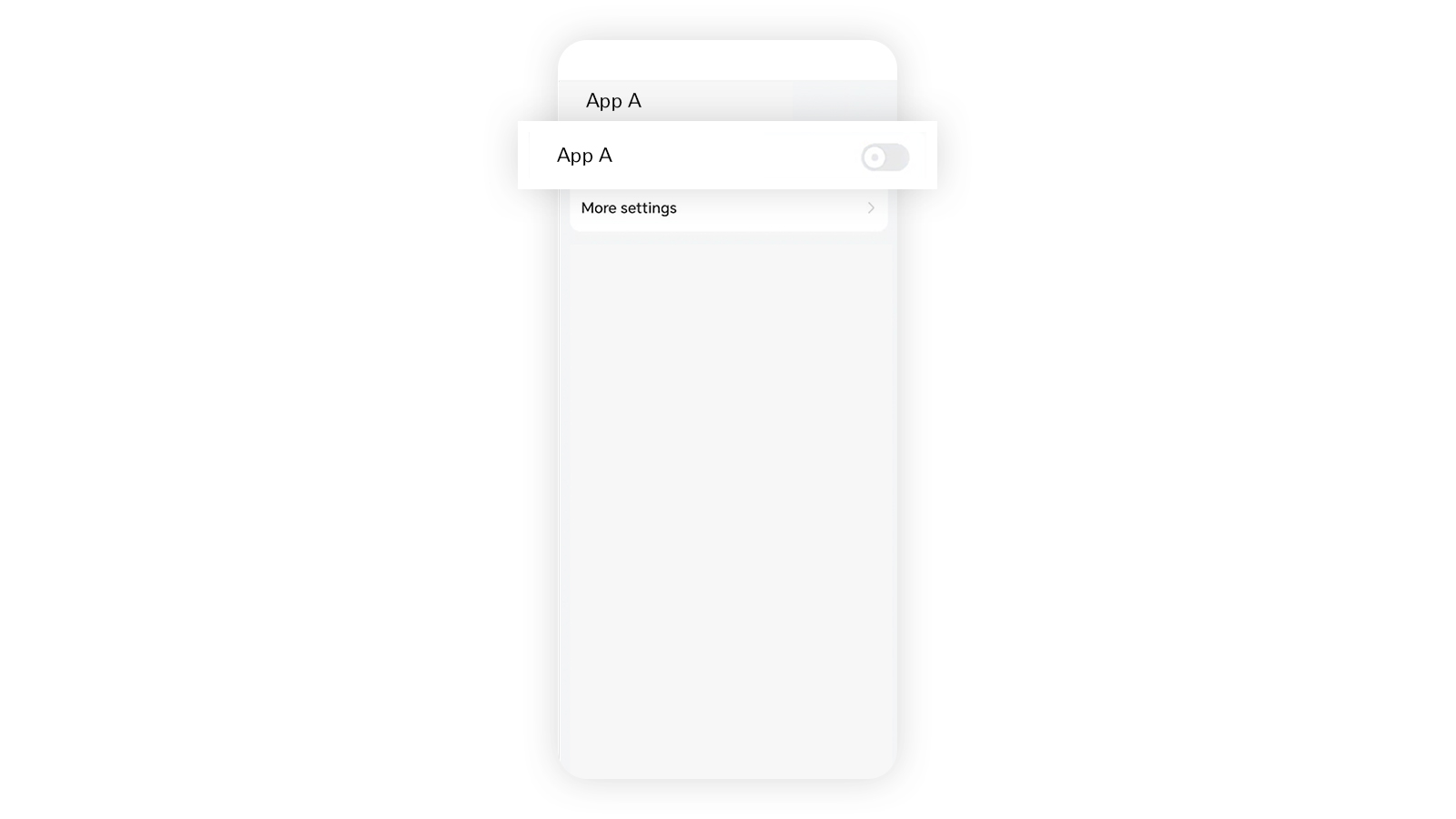
How to turn off accessibility of the apps on Sony devices
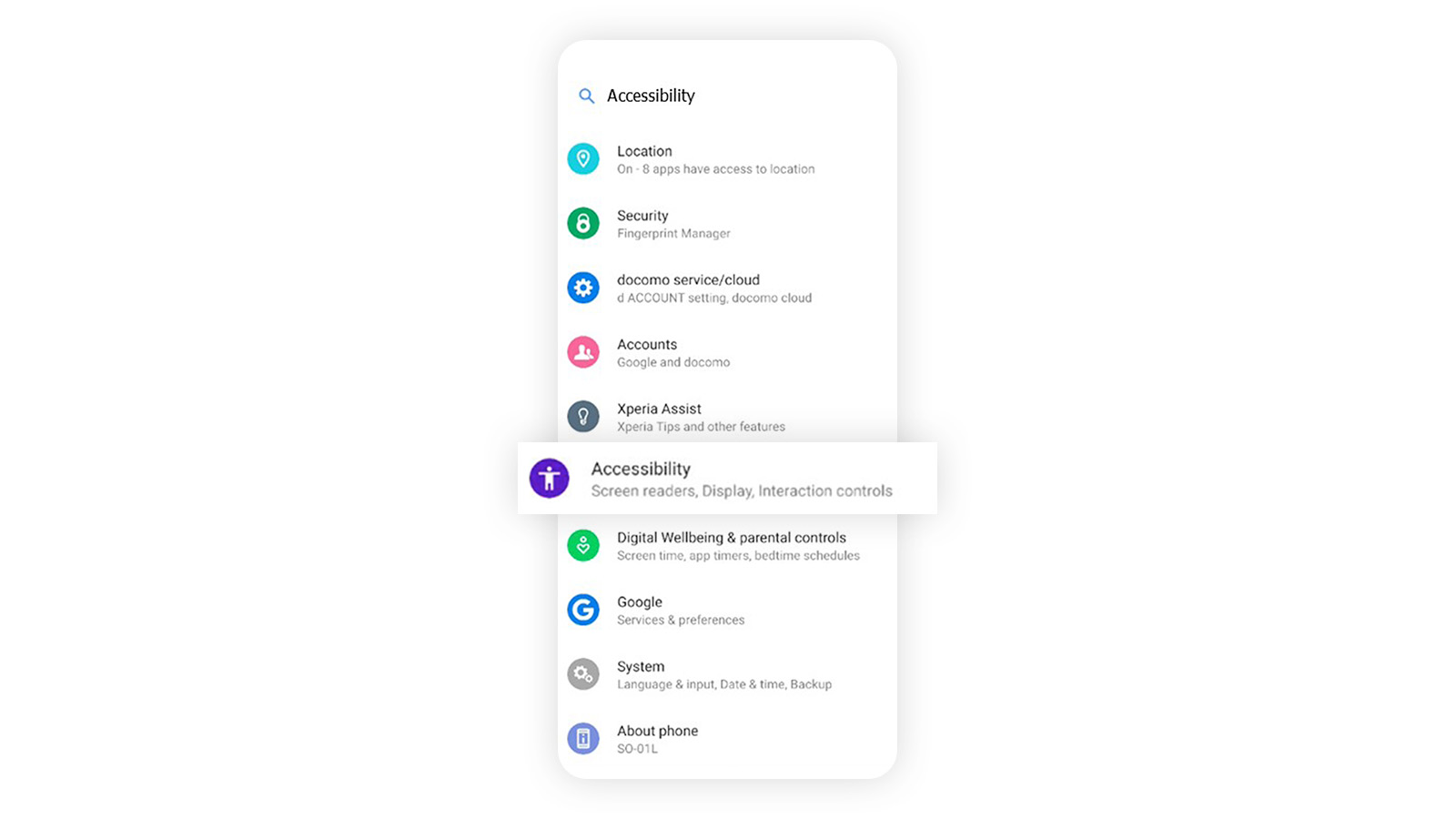
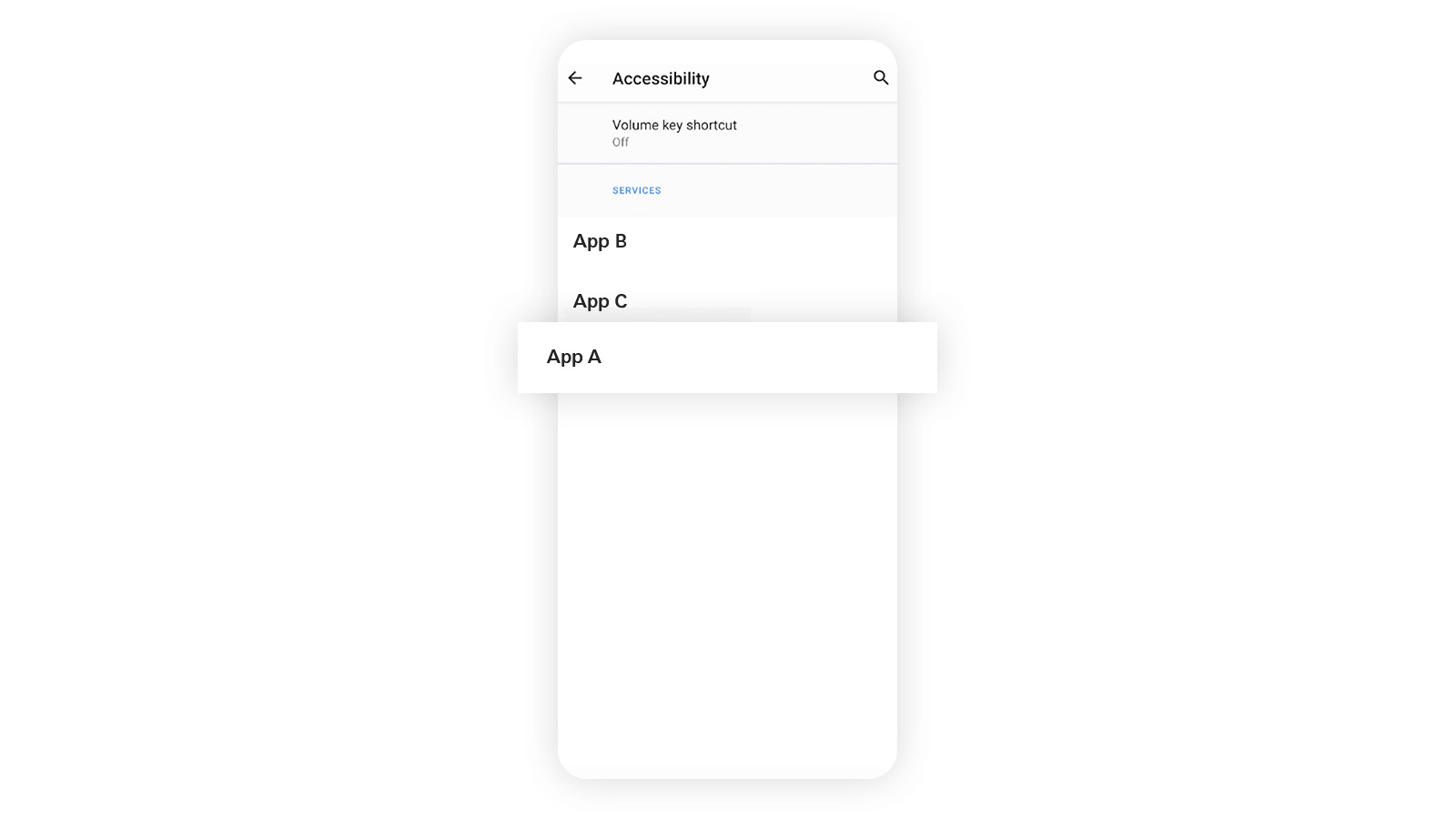
How to turn off accessibility of the apps on Oppo devices
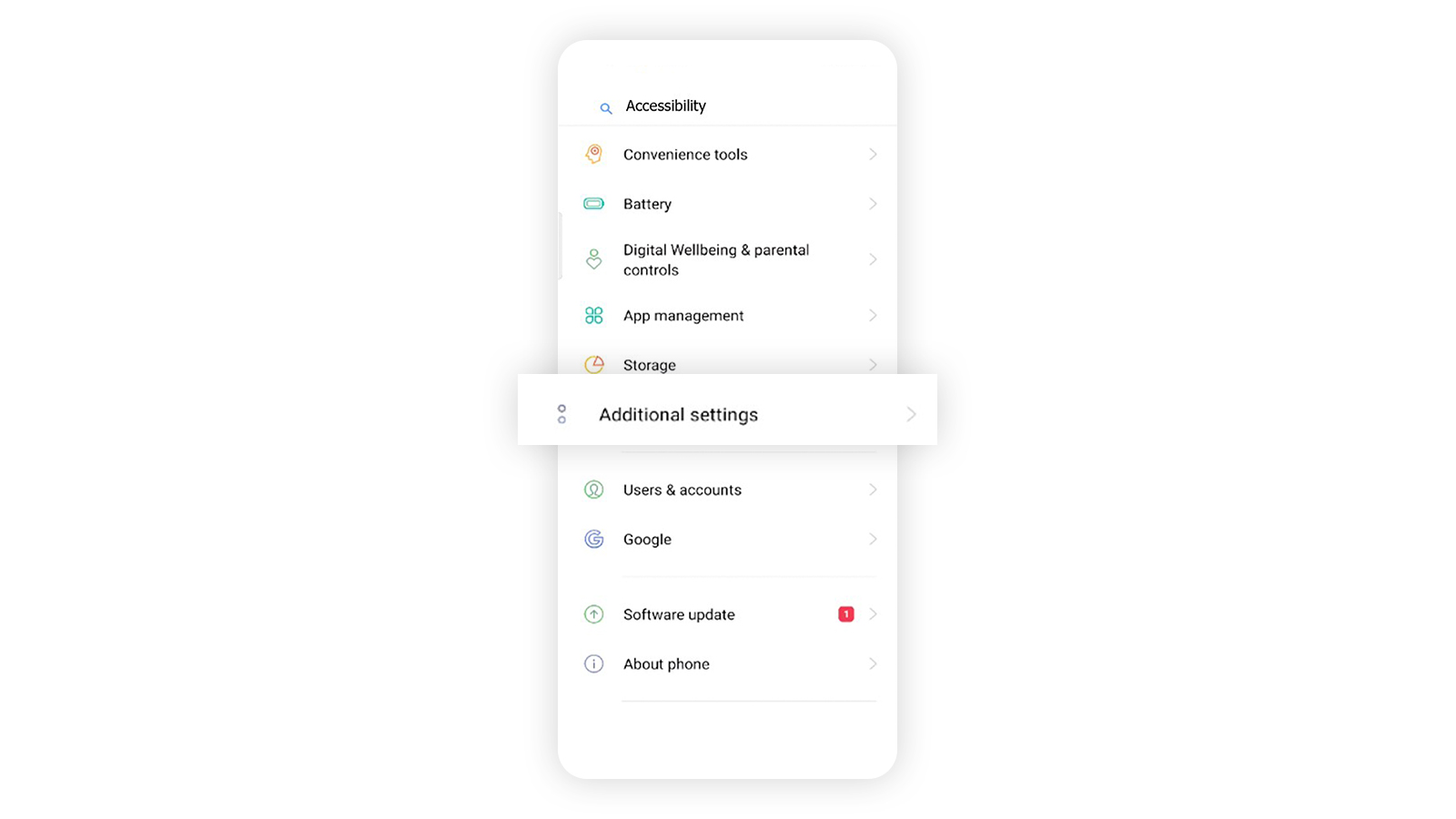
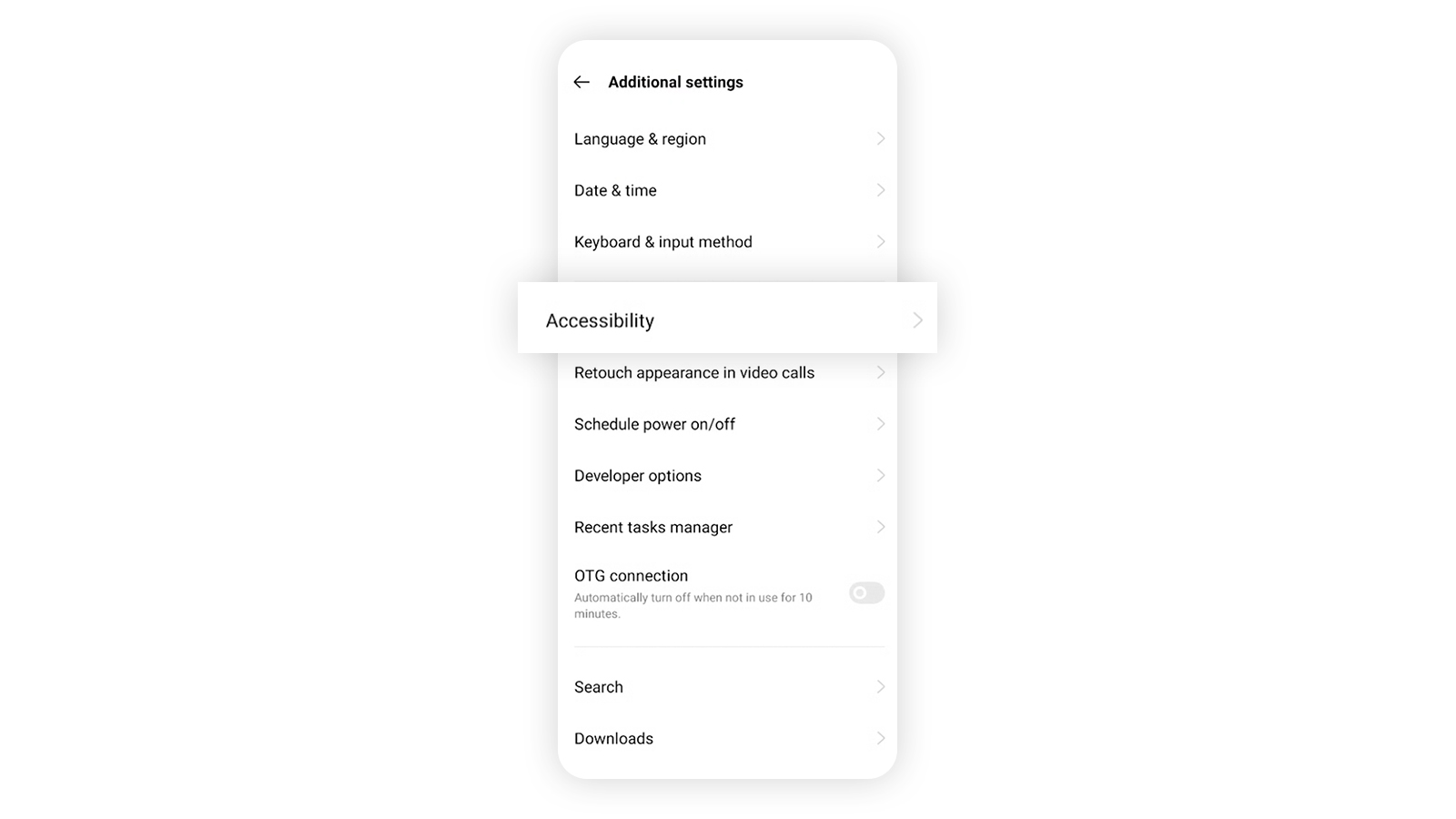
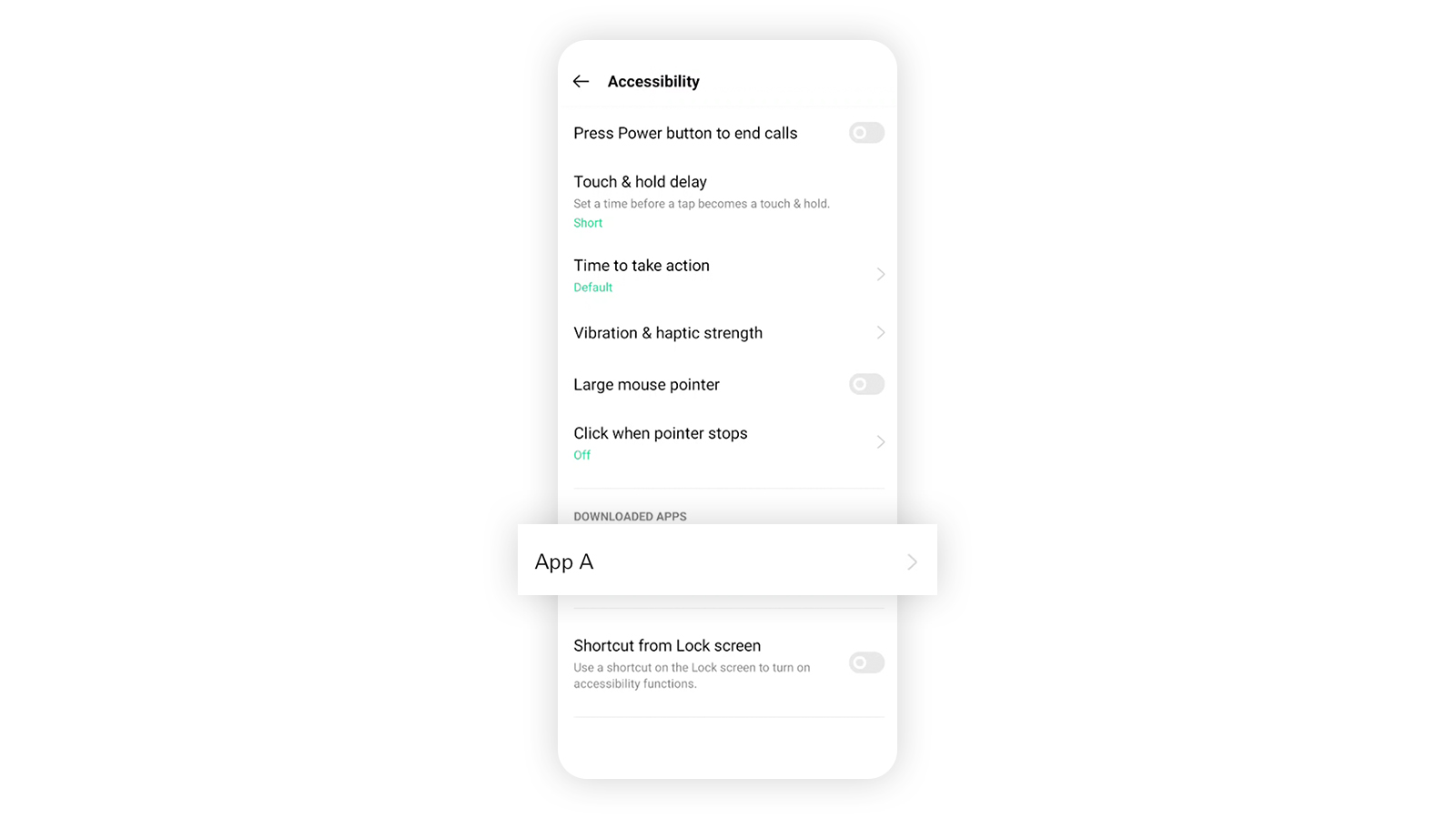
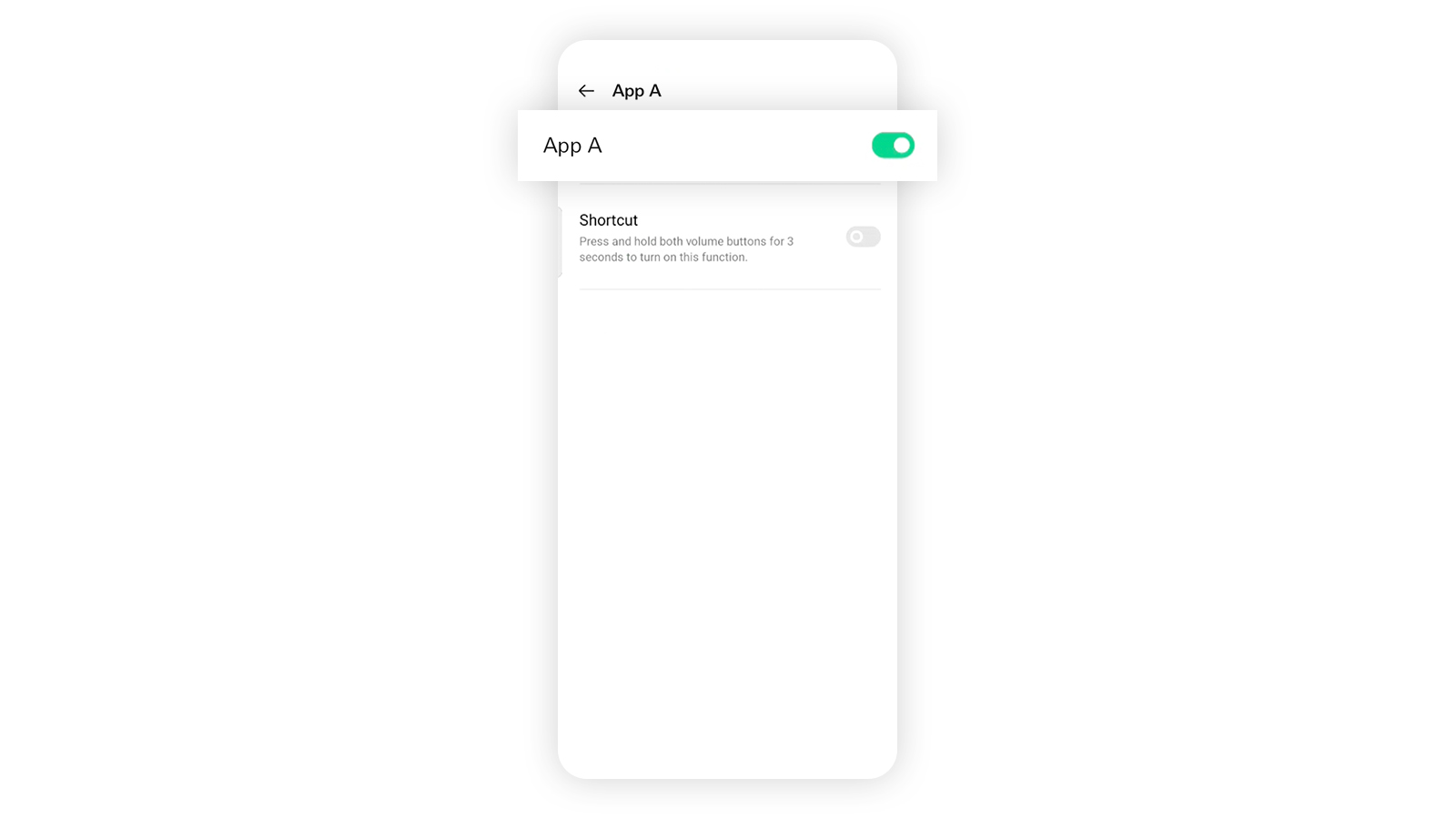
How to turn off accessibility of the apps on vivo devices
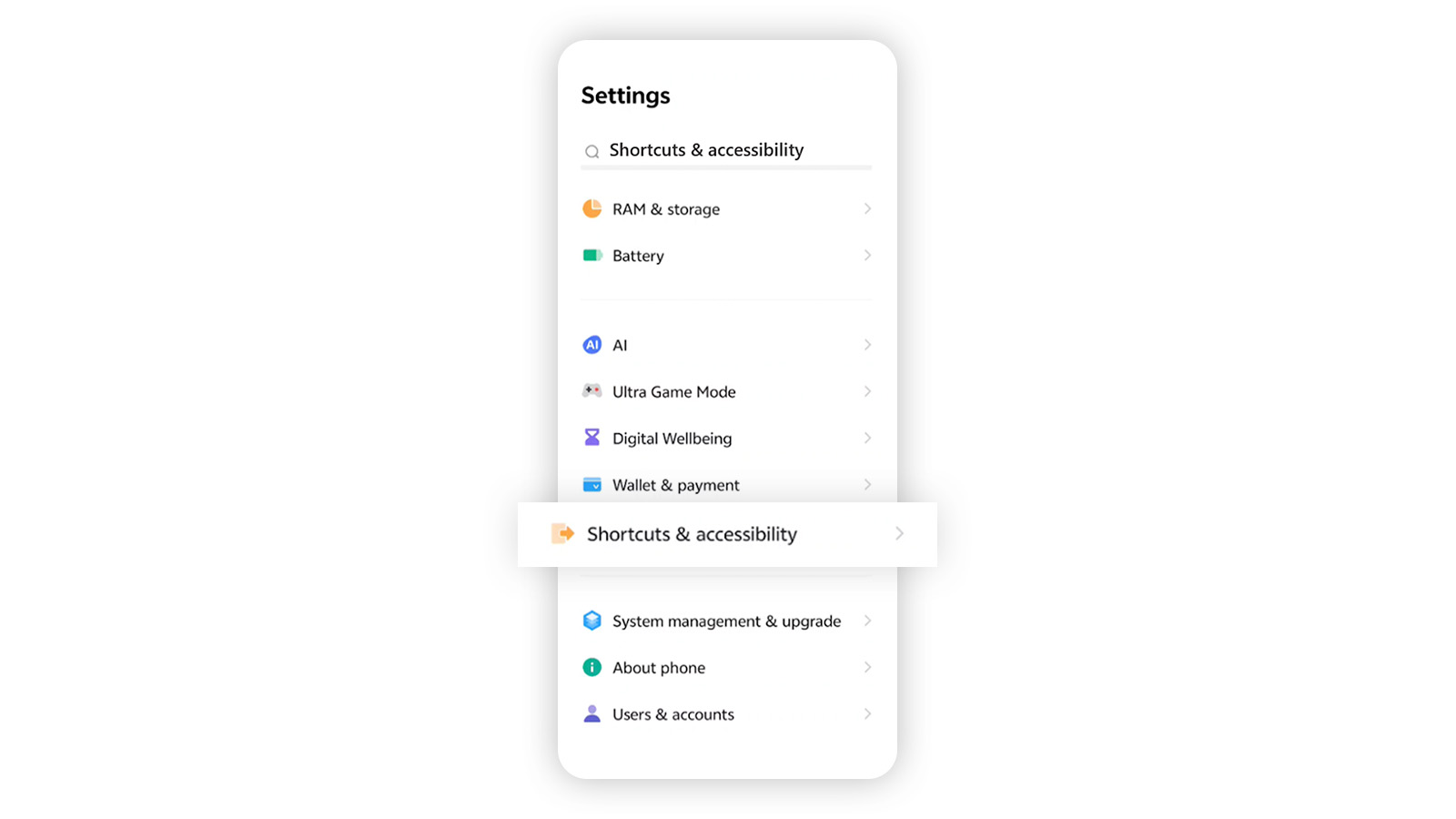
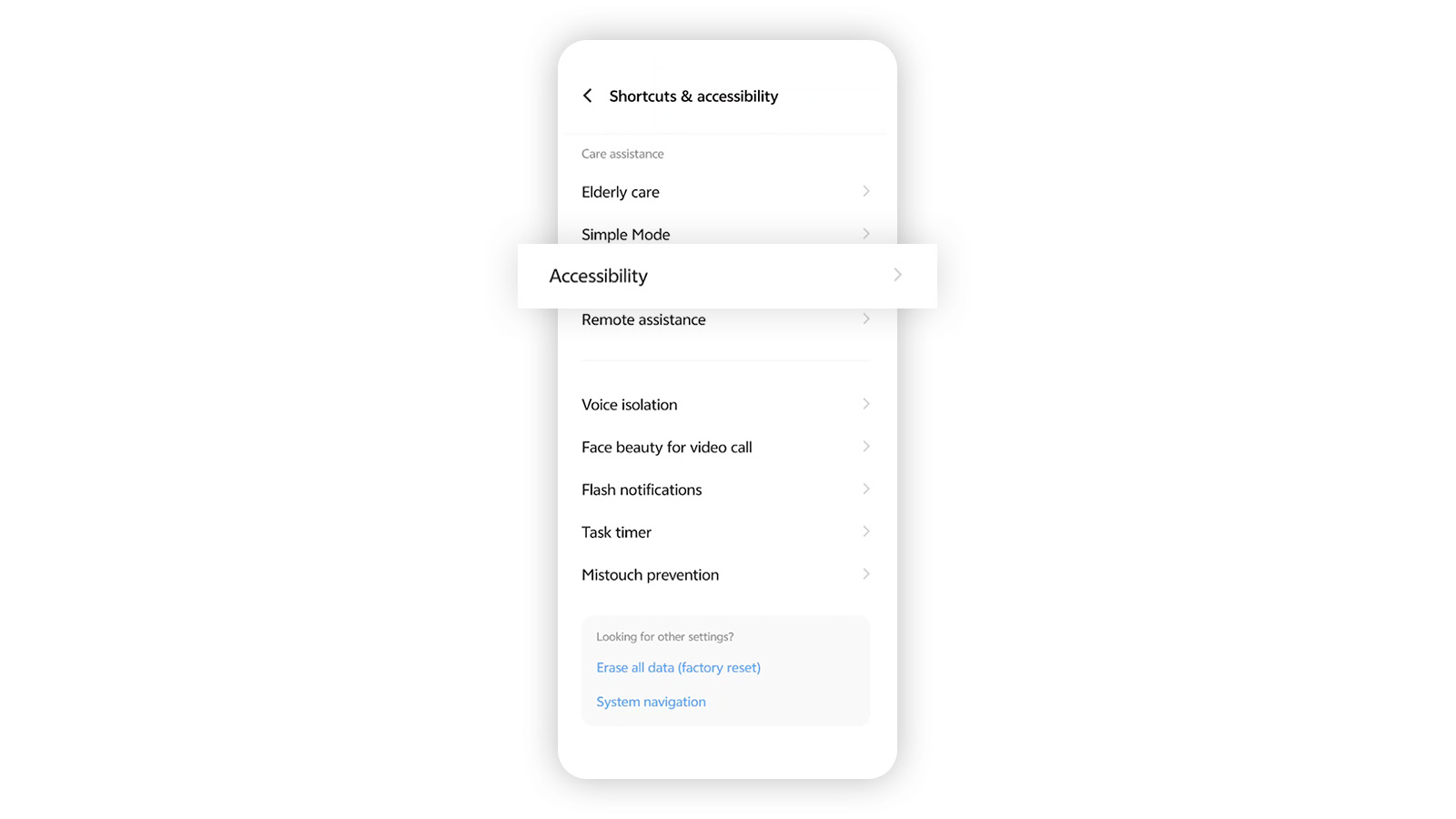
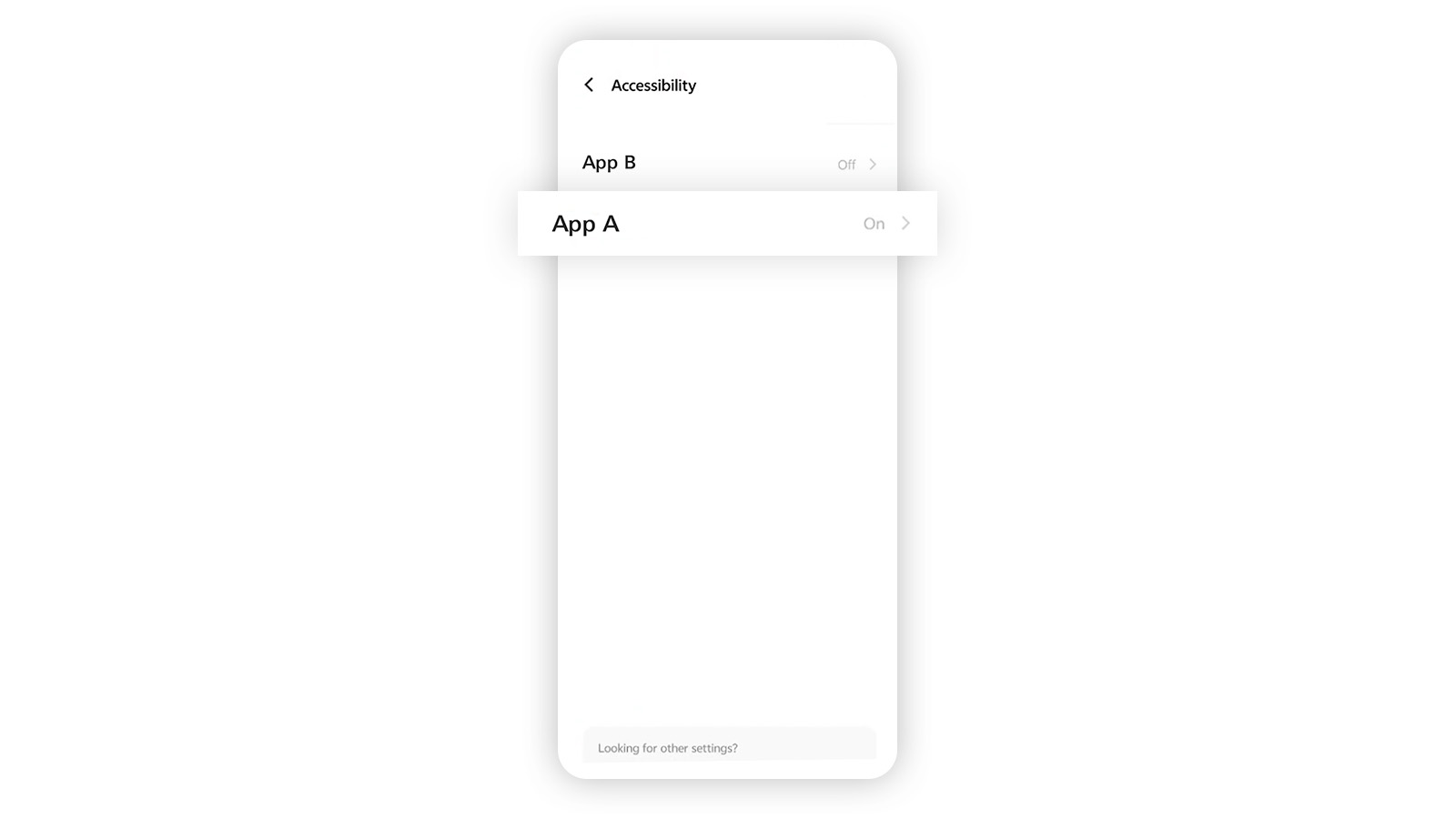
I've enabled the debugging option in my device, and my access to HSBC HK App is suspended. What should I do to restore access?
You can restore access to the HSBC HK App by turning off developer and debugging options (go to device settings > Developer options).
Follow these steps to check and manage your settings for developer and debugging options.
How to turn off developer and debugging options?
Step 1
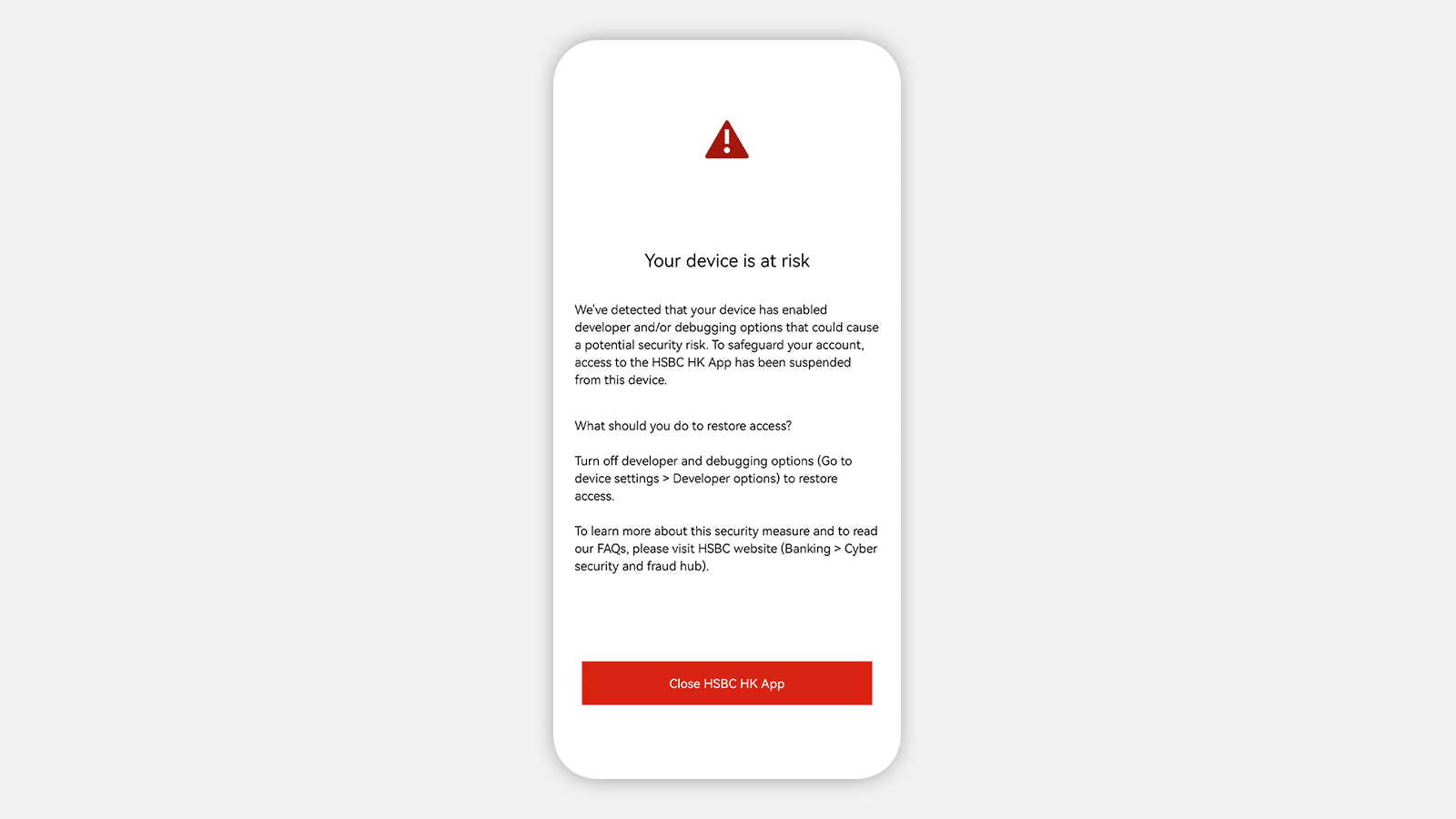
If you see this screen on the HSBC HK app, we've suspended your access to the app for your protection.
Step 2
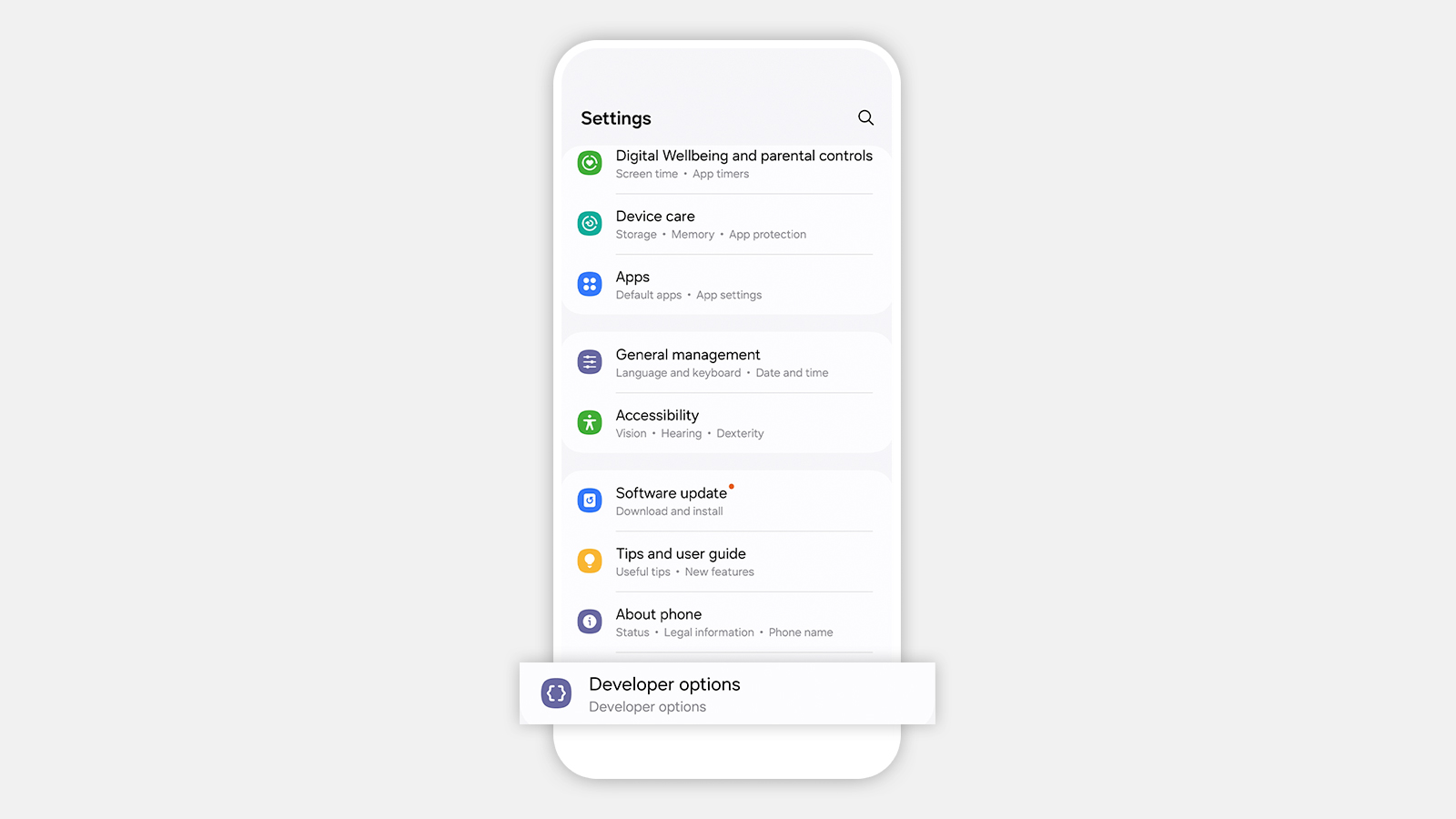
Go to ‘Settings’ > Tap on/ search for ‘Developer options’
Step 3
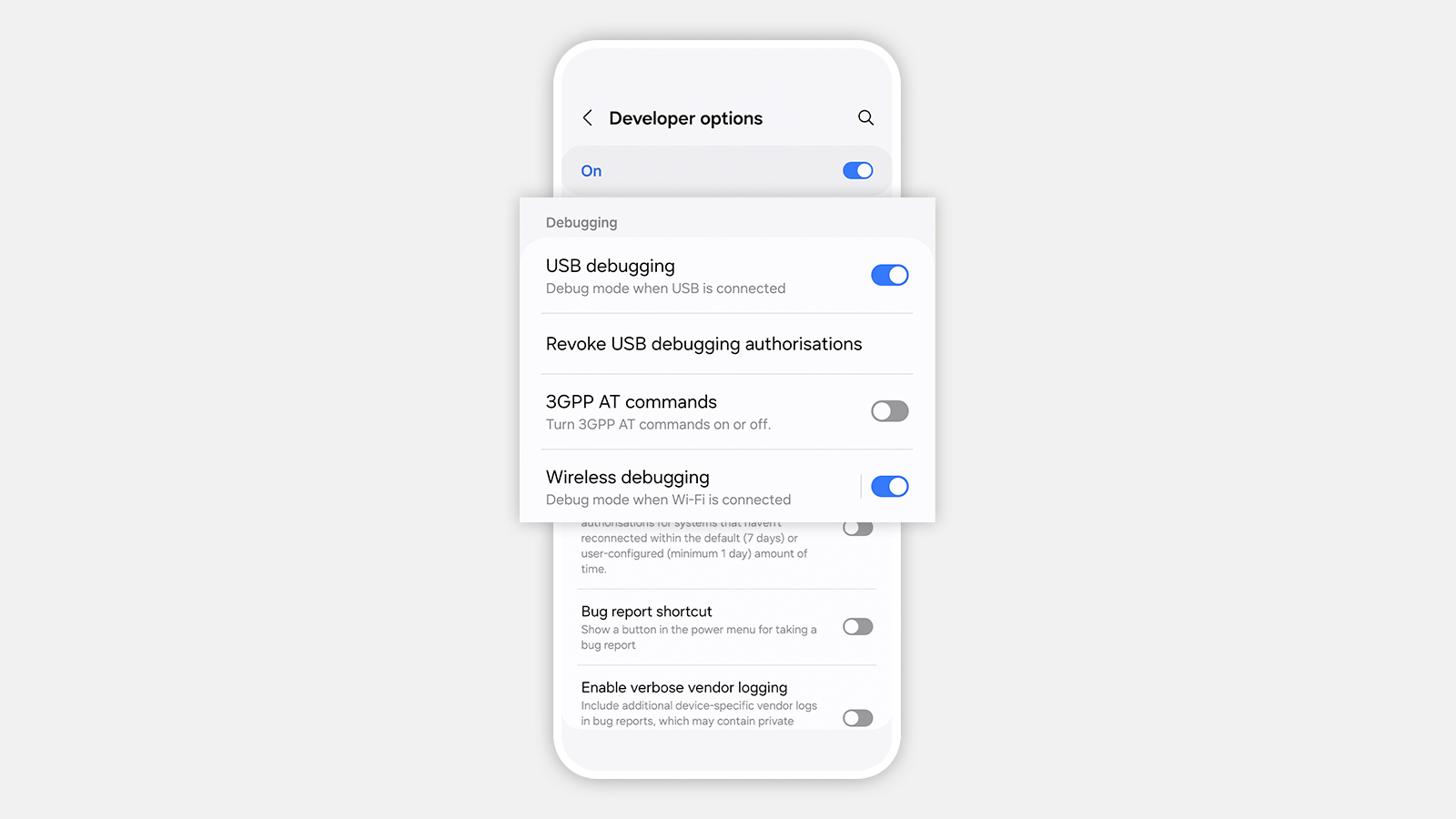
Turn off 'Developer options', 'USB debugging' and 'Wireless debugging'
I've installed the HSBC HK App on a third-party platform, and my access to HSBC HK App is suspended. What should I do to restore access?
Follow these steps to restore your access to the HSBC HK App by installing it on your device directly.
How to restore access if you've installed HSBC HK App on a third-party platform?
Step 1
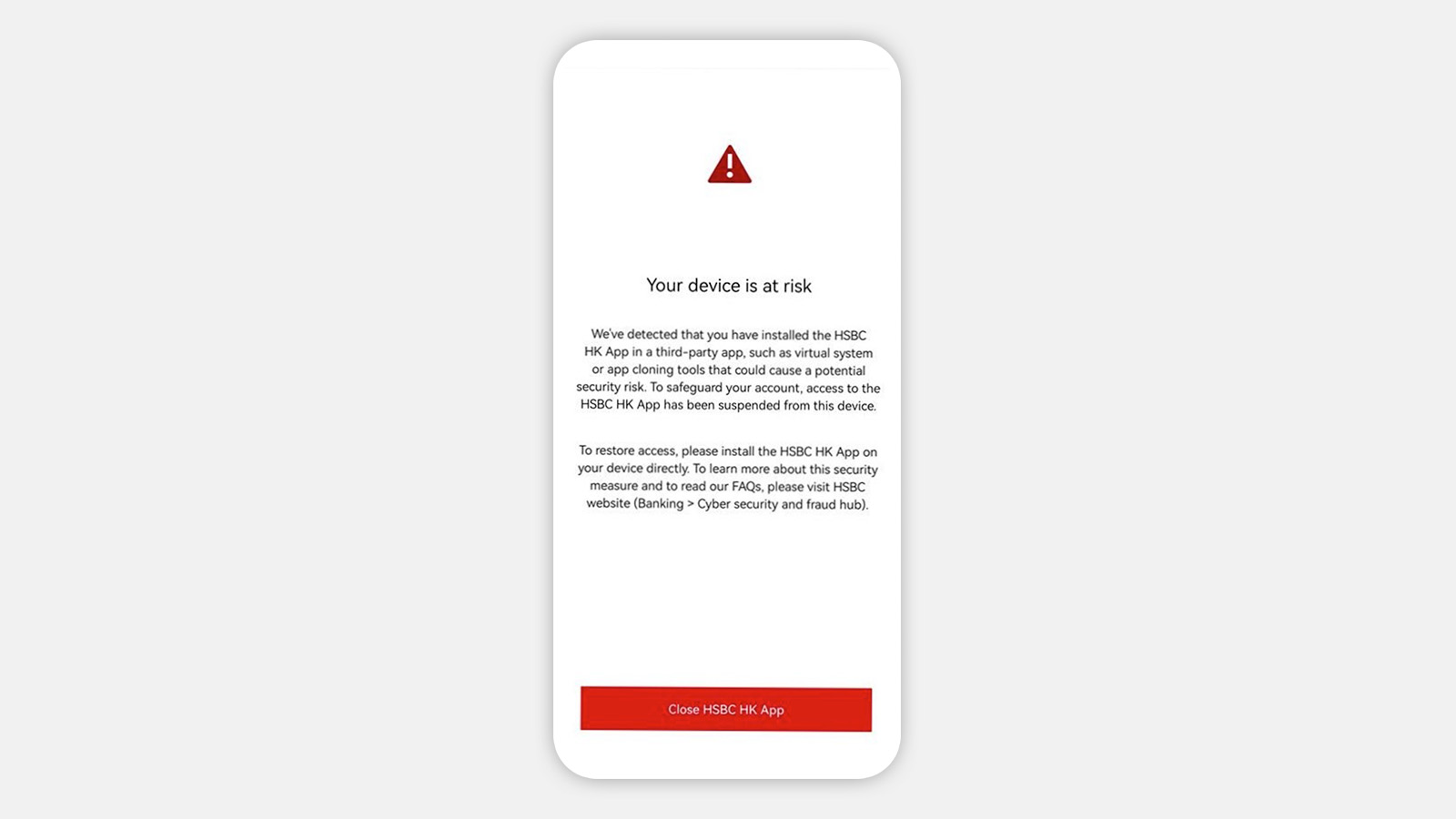
If you see this screen on the HSBC HK App, we've suspended your access to the app for your protection.
Step 2
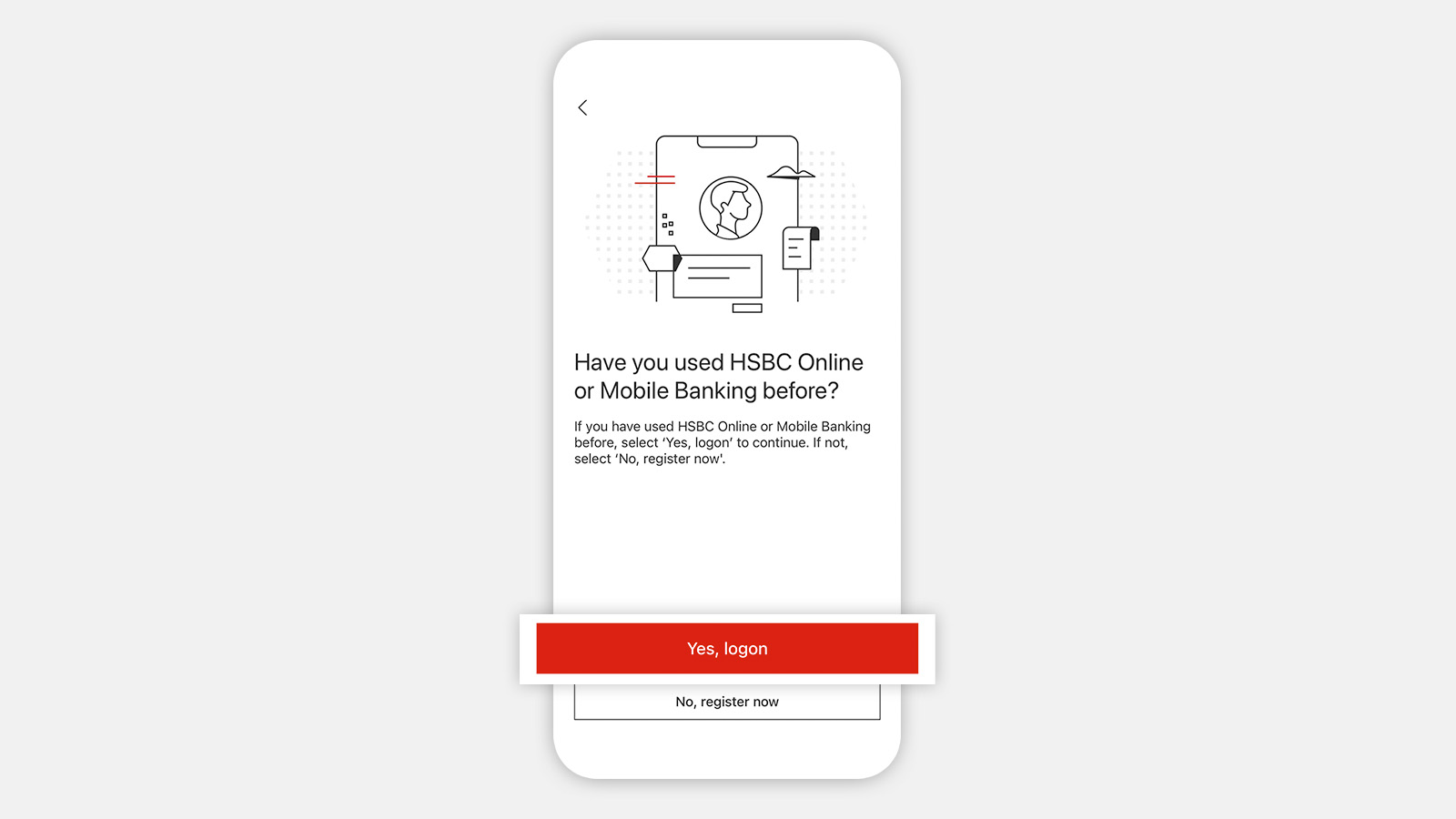
Download and set up the HSBC HK App on your device directly, not on a third-party platform.
Follow step-by-step guideline to set it up on your device.
Tips to protect yourself from malware
- Please be cautious if you receive special offers that require you to download an app or click on a link as this could be a scam. These links or apps may contain malware that can take over your phone.
- Stay vigilant for special offers promoted on social media or received via message
- Avoid opening suspicious links or downloading apps that are not from verified developers or trusted channels
- Download and install apps from trusted and verified channels such as Google Play
- Never grant full control of your device to any third party or share screen unless you're absolutely certain of the source's trustworthiness.
- Review permissions for access carefully and refrain from entering your account information, passwords or any other personal information into such apps or links.
